February Tech News And Updates

February Tech News And Updates

Whether it’s the software rollouts, games or gadget drops, here’s your SOS Phone Repairs monthly update on what’s happening with the latest February tech news.

Technology sure is a wonderful thing, but in order for it to stay relevant, beneficial and glitch free, the dark side of it is the constant updates that the humble consumer is required to keep up with. Thankfully, there always seems to be a new way to streamline a process, eliminate a semi redundant task or even just a means to procrastinate thanks to technology – even the humble QR code has managed to change the way we work, play and essentially live. 

As such, it’s almost inevitable that there always seems to be an onslaught of new product drops, software updates and even fresh games to hit the market that are regularly released so that we can make the most of this digital world – so what’s on offer this month when it comes to the latest February tech news?

The Latest February Tech News Explained 

With the start of a new year well and truly underway, tech giants around the world have still been dropping new games, software and devices left right and centre. However, it’s also the perfect time of the year for whispers to circulate as to what we can expect in the next twelve months ahead. For the savvy digital consumer who traditionally pays attention to these types of updates, we’ve deemed the below to be the most noteworthy in regards to February tech news. 

Chip Shortage Continues – The prolonged global chip shortage has upended the way automakers churn out new vehicles, driven up prices of televisions and has even made hot products like Sony’s PlayStation 5 nearly impossible to buy. All signs suggest we’re still not out of the woods, with the shortage predicted to continue until at least mid to late 2022. 

Apple SE Enters Production – A new leak from Silicon Valley claims that production will begin on the next iPhone SE in January, with a launch date pencilled in for April or May this year instead of the usual September. The forthcoming iPhone SE would be the third generation of the model, and it is believed to be adding 5G and other updates instead of a full scale redesign. 

PlayStation Goes Virtual – Riding on the recent news and surrounding buzz of the upcoming Metaverse, PlayStation has made announcements on their own next generation virtual reality system for the PS5 console, starting with the official name: PlayStation VR2, and the new VR controller: PlayStation VR2 Sense controller.

Prime Drops LOTR Trailer – While we’re all excited to see what the heck Amazon Prime’s upcoming Lord Of The Rings series is going to look like, fantasy nerds can now get a sneak peak via its first trailer. The story takes place during the Second Age and the creation of the rings, so viewers are excited to get to know the origins of Sauron as well. 

OnePlus Pro Is Here – The OnePlus 10 Pro is the latest addition to OnePlus’s impressive line-up of smartphones, and the early signs suggest this is a premium device with a design to match, without the extravagant price tag that normally follows. Marketed as a mid range smart phone, the newest offering from OnePlus is slim, with a triple camera array to boot. 

Although we live in an increasingly digital age, technology has also brought with it an extra set of distractions on top of whatever happens to pop up during our day to day lives. If you’re looking to improve your selfie game, want to learn more about your smart phone’s camera, or even need some help in choosing the right type of device based on your needs, it’s always worth speaking to the professionals. 

Talk February Tech News With The Professionals

SOS Phone Repairs are specialists in high-quality, cost-effective phone repairs, tablet repairs, and PC repairs, all backed with a six month warranty. Founded in 2015 in Coffs Harbour and now with over sixteen outlets located all over Australia, our primary driving factors remain the same: people and phones. 

Whether it’s to get a few more years out of your trusted iPhone, to fix one up to sell, or to repurpose an old one as a gift, repairing a smartphone might just be easier and cheaper than you think. However, if you’re in the market for a new smartphone, SOS Phone Repairs also stocks a wide variety of refurbished handsets at a fraction of the cost of a brand new one. While each has been carefully restored to perform at their best, all refurbished smartphones purchased through SOS also come with a twelve month warranty, and can be purchased at any of our sixteen store locations.  

If you are on the hunt for a quote, diagnostic, or even just some good old fashioned, friendly advice, please don’t hesitate to get in touch or give us a call today at SOS Phone Repairs. 

8 Hidden iPhone Hacks You Probably Don’t Know About

iPhone Tips and Tricks

From taking photos hands-free to charging your battery faster, these may be the iPhone hacks you wish you knew earlier! So, what are you missing out on? Well, you’ve probably only scratched the surface on what your trusty companion can do. There are dozens of little tricks and tweaks that can make your iPhone easier, faster and more fun. Moreover, with each iOS update, new features are constantly added, so it’s important to keep up-to-date.

Use a Different Web Browser

With iOS 14, you no longer need to be stuck with Safari. Instead, you can make Chrome or Firefox, or any other browser your default browser.

Add Captions to Find Later

To help you search for a particular photo or video, iPhone now allows you to add captions to both photos and videos. Simply swipe up and add your caption.

Respond to Individual Messages

During a busy group chat, you can now select the individual message you want to respond to. Tap and hold the comment and hit ‘Reply’, and then type your message. Now, your reply has started a new thread within the main message.

iPhone Hacks to Keep Things Tidy

Like most of us, chances are, you don’t use all of your Apps every day. So, to keep your screen clutter to a minimum, you can now opt to move unused Apps to your Library. Simply tap Remove ‘App’ from the app’s quick actions, then select ‘Move to App Library’.

Launch Searched Apps Faster

As you search for apps through the default Search tool, your phone will predict the best match and put it at the top of the results. If that’s the app you want, you can open it immediately by tapping “Go” on the keyboard.

Fastest Charge Eva

If you’re really up against it and need a rapid injection of charge, turn on Airplane mode. This way, all the background stuff and battery hungry connections will be temporarily shut down. Consequently, most of the incoming charge will then be going straight to the battery. Also, make sure you know all about battery life hacks here.

Fill the URL Address Quickly

Start by putting the website name into the address bar and then hold the period icon. A list of common extensions will pop up, such as .com, .com.au etc. Choose yours, and boom, it’s done.

Correct Siri

Sure, Siri knows her stuff, but she’s not perfect. So next time she mispronounces something, say, “That’s not how you pronounce ……” and Siri will ask for the correct way to say it. Furthermore, she’ll then repeat it to make sure.

SOS Phone Repairs are iOS Experts so call us anytime if you need a hand!

5 Common Android Problems and How to Fix Them

We all love our mobile phones, but they aren’t perfect. They’re often running out of battery, freezing up, running too damn slowly or struggling to connect to the internet. And make no mistake, these problems are common to both Android and Apple phones. So, here’s a quick fix guide to some of the most common Android problems that owners may face.

Dreaded Battery Drain

Many owner’s report Android problems such as their battery draining too quickly. Luckily, there are two easy ways to prolong your battery life. First, set your phone to Battery Saving Mode. Second, adjust your Brightness level. All too often, brightness is set too high, so bring it down to just below halfway. Ultimately, you’ll be surprised how quickly you get used to it and how much extra life you’ll get as a result.

Slow User Interface and Frozen Screen

Your phone will begin to slow down if its internal storage is filling up. Therefore, move photos and videos onto a micro SD or onto the Cloud. Also, delete any unused Apps and delete App caches. Finally, programs such as App Cache Cleaner and Clean Master are available for free from the Google Play store.

Connectivity Issues

If you’re having trouble connecting to Wi-Fi, 4G or network, try going to Airplane mode for 30 seconds. This will effectively reset your connections and force them to try again. Also, try toggling individual connections if this doesn’t work. If this fails, you may need to re-input your network settings.

App Crashes

Annoying as they are, they can happen for lots of reasons. Start by closing the App entirely and then re-opening it. Next, check for an App update. Lastly, you may need to update your Android OS.

Android Problems – Unresponsive Screen

An unresponsive screen is super frustrating. So, before you chuck your phone against the nearest wall, just turn it off and restart it after 20 seconds. This will usually work. Of course, if it’s cracked or water damaged, then it’s time to take it to the professionals.

Call 1800PHONES and chat to our friendly experts at SOS Phone Repairs today.

How to Check Your iPhone’s Battery Health

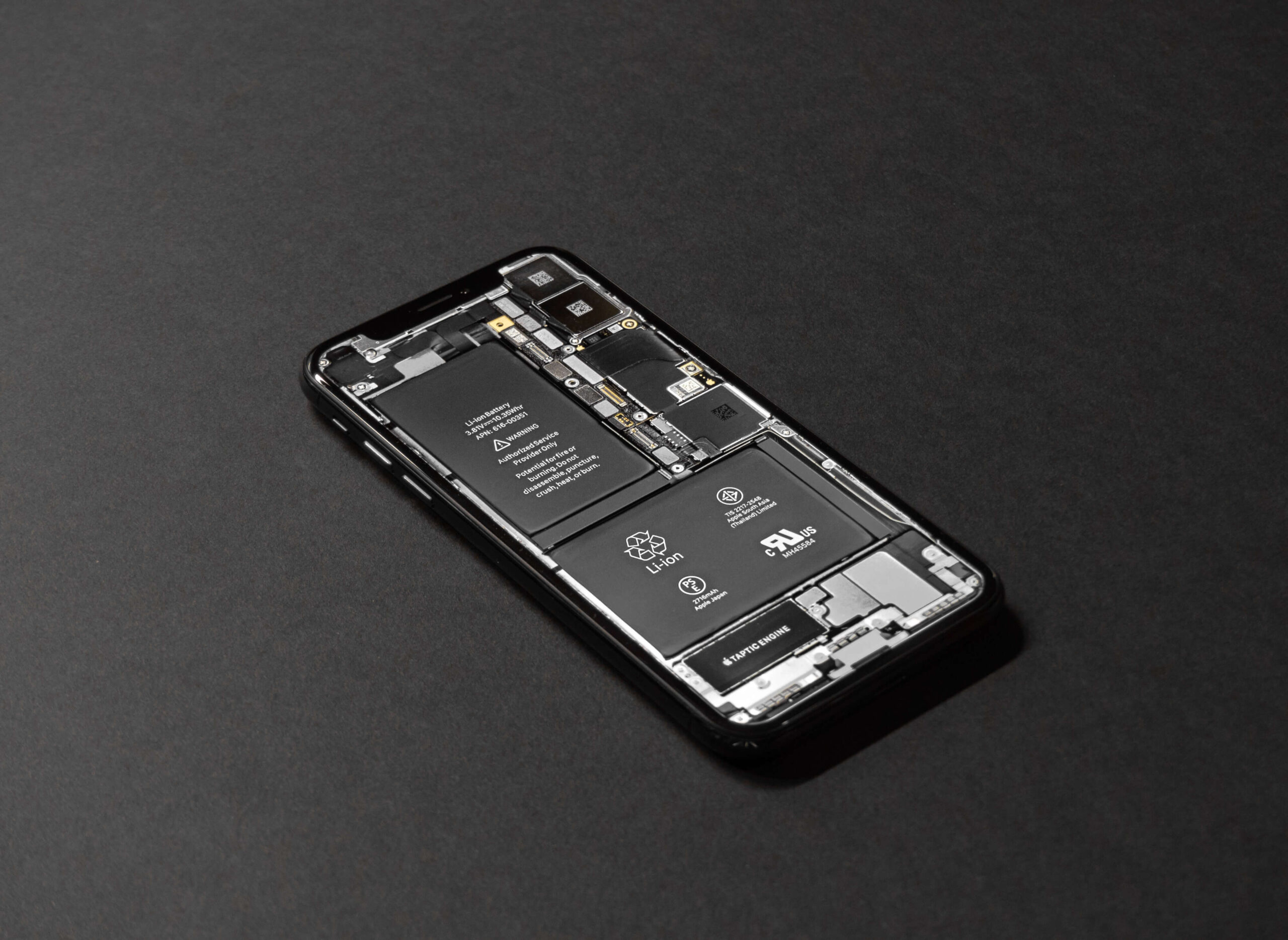
Does it seem like your phone is losing charge too quickly? It may be simply that you’re using your phone more than usual, or maybe there’s a problem? Fortunately, Apple now provides a built-in tool that enables users to check their iPhone battery’s health. The battery health tool offers four main functions. Firstly, it allows you to monitor your charging regime and to check your battery’s overall health. Secondly, you can check to see which apps are the greedy ones and therefore make adjustments accordingly. Thirdly, you can enable Low Power Mode to minimise certain background activities. Lastly, iOS can run battery diagnostics and let you know if you need a new iPhone battery or not. For more information about how to charge your battery, go here.

iPhone Battery Suggestions

Beyond displaying the various diagnostic results, Battery Health also provides suggestions intended to improve your battery life. One insight is brightness. It’s incredible how many people leave their brightness cranked up all day and then wonder why they run out of charge! Other details include a graph displaying time plugged into a charger and when the screen was activated or not. The data display can even be switched between 24 hours or the last ten days.

Battery Usage by App

Scroll down further, and you’ll discover battery usage by app. Here you’ll find the battery hungry apps. If an app unexpectedly turns out to be a battery hog, but you don’t use it much, it may be continually sending data to its host. It’s probably best to delete it. The default display shows the percentage of charge used by each app. However, by tapping on an app, you can change it to the amount of time.

iPhone Battery Replacement

Essentially, if your iPhone doesn’t hold its battery charge as well as it should, and the battery capacity is low, then it’s probably time for a new battery. If the capacity is still high, you should delve into the apps and take actions to reduce their drain on the battery.

Talk to us today about improving your iPhone battery life or about getting a replacement battery. Call 1800PHONES now.

5 Reasons to Use a VPN on Your Phone

VPNs Are Not Only for Desktop Computers

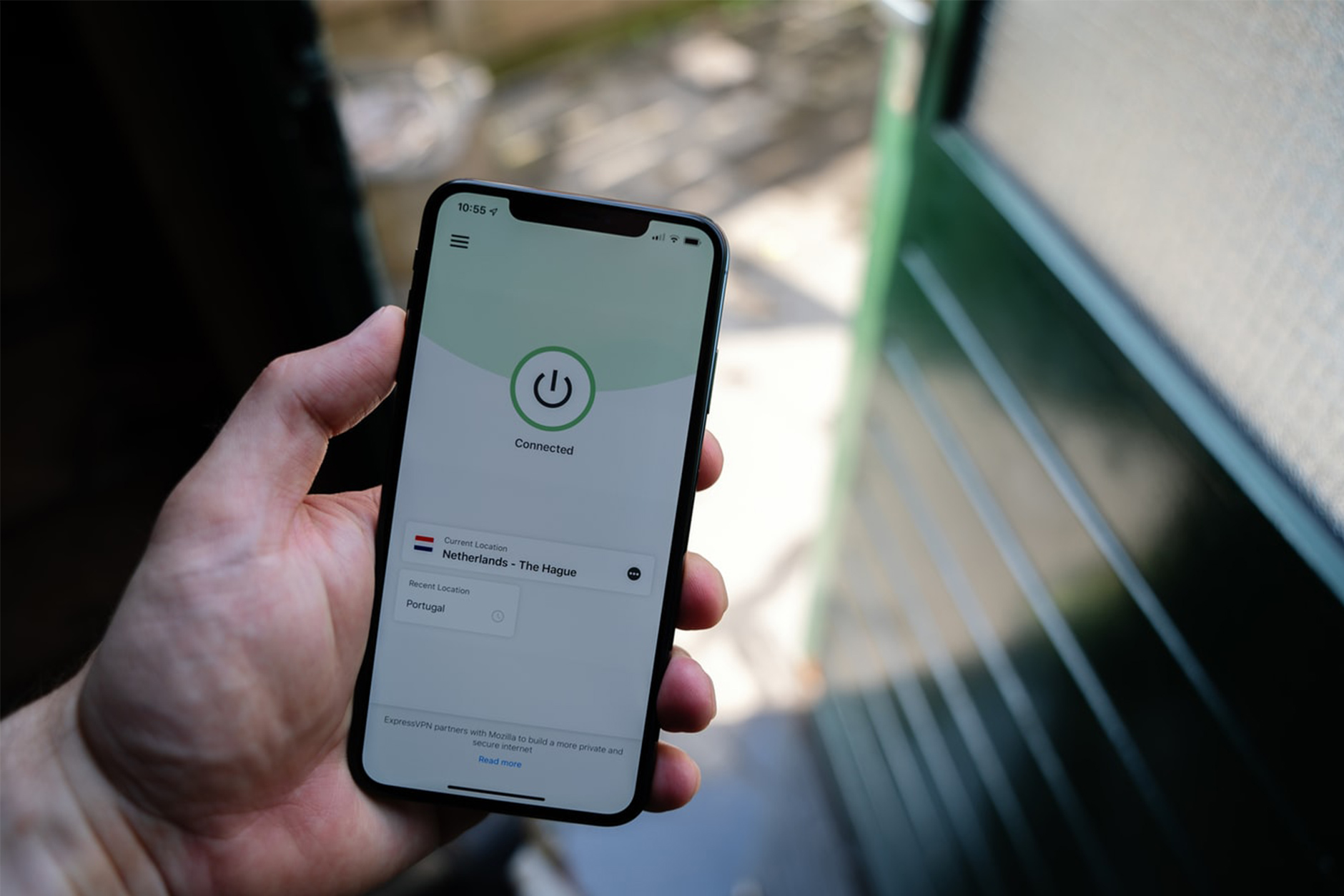
VPN stands for Virtual Private Network. When you use a VPN, all of your internet usage will be encrypted and hidden from hackers and even your ISP. Consequently, they are invaluable as a way of keeping your data private and safe. A common scenario for using a VPN is working remotely and using a public or unfamiliar Wi-Fi connection. However, VPN’s aren’t limited to PCs and laptops. You can also install them on your phone, thus protecting your mobile data wherever you are. Here are 5 questions to consider before venturing out into the wild without a mobile VPN.

1. Is Your Private Data Safe?

These days iPhone or Android Smartphones are constantly connected to the internet, updating emails, syncing social media, and exchanging data. Moreover, when connected to an unsecured public Wi-Fi, your information is completely vulnerable. So, what if somebody intercepts that traffic and gets a hold of your Facebook password, credit card numbers, browsing history and confidential emails and messages? Installing a mobile VPN can hide you from these threats.

2. Is Your Phone Protected from Ransomware and Hackers?

More companies are reporting an increase in mobile phone ransomware attacks. They operate in the same way they do on PC networks. This means your mobile will be locked, and a ransom, typically in Bitcoin, will be demanded. So, the best way to prevent this is to not be visible on the internet. Using a mobile VPN creates a ‘tunnel’ that gives you anonymity from hackers.

3. Accessing Private Corporate Files on your Mobile?

When you’re out and about, it’s often easier to respond to urgent business emails from your mobile. But what if you need to attach a file? Well, if you access your work server via your mobile, and you don’t have a VPN, then you might be asking for trouble.

4. Gain Access to International Streaming Services with a Mobile VPN

Most streaming services, and some broadcasters, prevent access to their services from a different country. However, it’s possible to circumvent these geo-restrictions but routing your internet traffic through a VPN server located in the same country.

5. Looking for a Faster Connection and Greater Bandwidth?

Some VPN services, such as Speedify, offer the ability to combine several internet connections simultaneously. Consequently, you can expect faster streaming, better video calls and quicker downloading when you need it.

If you’d like to know more about mobile VPN’s, chat to our friendly team at SOS Phone Repairs today on 1800PHONES

What to do if you Drop your Phone in Water

Unless you’re lucky enough to own a later model mobile phone that is actually waterproof, and you drop your phone in water, then you have a problem. But wait! It’s about 50 50, but all is not lost. If you act quickly and follow the steps below, you may save your water damaged phone.

What Damage does Water do to my Phone?

So, you’ve dropped your expensive portable microcomputer that cost several hundred dollars down the toilet. What exactly does the water do to the phone? Firstly, the water may short-circuit the electronics in your phone, causing irreparable damage. Microchips can burn out. Secondly, moisture left in your phone may cause corrosion that’ll eventually cause the electronics to fail. So, act fast. Retrieve the phone from the water as quickly as possible.

What Should I do with a Water Damaged Phone?

There’re a few things you shouldn’t do with a water damaged phone. First, don’t turn it on or plug it in. Essentially, mess with it as little as possible. Secondly, don’t apply heat to the phone, such as from a hairdryer. Excessive heat can cause more damage. Lastly, please don’t press any keys or move it around too much. Your objective is to prevent water from moving in the phone. Now that you’ve settled down and your heart rate is returning to normal, you need to help it dry out as quickly and gently as possible.

Drying a Wet Mobile Phone

First, disassemble the mobile. We don’t mean take it apart. Only remove the obvious things like the back, the battery, the SIM card. Now, place everything on paper towels and pat it all dry. Next, you must exercise restraint and leave the phone and components at least overnight to dry out fully. A popular technique to speed the drying is to put the phone in a bowl or bag of dry rice. This is mainly because everyone has rice and because it’s a substance that’s good at absorbing moisture. Also, those little silica bags are effective too.

The Moment of Truth

The big day has arrived; it’s time to attempt to switch on and test your phone. So, carefully put it back together, plug it in, and switch it on. With a bit of luck, it’ll light up, and away you go! Keep an eye out for odd behaviour, though, particularly button failure. On the other hand, if it fails to turn on, it may be time to either replace it, have it looked at by a phone repair specialist or make an insurance claim if you have some. Good luck!

We are specialist phone repairers and can help you get your water damaged phone working again. Call SOS on 1800PHONES now.

5 Simple Ways to Avoid Having a Broken Phone

We all carry our mobile phones with us almost everywhere we go. Consequently, we expose them to all kinds of situations and hazards likely to cause damage. Manufacturers do build phones to withstand drops, bashes, scratches and even water, but they have their limits. We all know that feeling of dread when you drop your phone, it lands hard, face down on the pavement. Then, as you reach down to pick it up, you’re praying not to see a shattered screen. Well, here are some simple tips to avoid that dread and to help avoid having a broken phone.

1. Buy a Good Case

This is probably the most effective way to avoid a broken phone. That said, there’s no need to go for a crazy super-chunky bomb-proof case! In fact, good cases are often slim, light and well designed. Essentially, you need to protect the corners and the back and front from scratches. Some cases have a protective screen cover but often just having a raised rim on the case is enough to protect it. Alternatively, look at the many wallet/phone case combo’s out there.

2. Give Your Phone a Bit of TLC

A regular clean and wipe down works wonders to prevent a broken phone. Not only will a build-up of grime effect how your touch screen works, but it can also cause port failure. Furthermore, if you’re having trouble charging your phone, check the power port for debris. Dust and fluff often build up in the port and prevent a good connection to the charger. So, try carefully clearing the port with a cotton bud or toothpick. Go easy, you don’t want to damage it. If this still doesn’t work, drop into a phone repair shop.

3. Sitting On It Will Mean a Broken Phone

It’s a good idea to get out of the habit of putting your phone in your back pocket. After all, sitting on a wafer-thin piece of glass and delicate microchips usually doesn’t end well. Also, keep your keys and coins out of your phone pocket.

4. Buy Good Quality Chargers and Cables

Right, so you’ve invested in a $1000.00 miniature super-computer that also makes phone calls. Now is not the time to just plug it into anything. Most phones need a specific power (amps) and voltage for them to charge efficiently and safely. So, avoid the $10.00 copy and buy the original OEM chargers if you can. Or, make sure the cheaper one is an accredited manufacturer. Believe me, getting this wrong can end in disaster.

5. Use a Screen Protector

There’s no doubt that modern mobile phone screens are a triumph of technology. However, they are also the weakest part. So, for just a few dollars, you can add a strong layer of protection from scratches, dirt and drops with a simple screen protector. Furthermore, a replacement can be popped on in seconds with just your fingernails and a clean cloth.

If you’d like to find out more about avoiding a broken phone or to book a quick and easy phone repair, chat to us at SOS Phone Repairs today on 1800PHONES

How to Keep Your Old Phone Running Like New

In general, people seem quite happy with their current mobile phone. After all, we spend a fair bit of time researching which one to commit to next and we like to hang on to them. In fact, iPhone enthusiasts tend to keep their iPhone for three or four years, sometimes even longer.  So, even though you love your phone, it may be becoming slow or low on memory, perhaps it has some cosmetic damage, or maybe the mobile battery life is poor. But wait! Before you rush out and buy a new one, let’s look at some ways to keep your phone running like new.

Apply Software Updates When They Arrive

It’s important to download and install updates when they appear. This is for 2 main reasons. Firstly, they usually contain essential security updates and patches that’ll help keep your data safe. Secondly, they include bug fixes and software improvements. Often, these fixes will improve the responsiveness and battery life of your phone.

Free Up Some Space

People panic when it looks like their phone memory is getting full. Let’s face it, thousands of pictures and hundreds of videos will do just that! Now would be the time to consider a cheap cloud-based subscription so that your images and vids are stored online and not on your phone. For instance, Apple Photo and Google Photo are easy to use services that are cheap, quick and easy. And don’t worry, you can still browse all your images and instantly download them for viewing.

Invest in Mobile Battery Life

Reduced mobile battery life is a common issue across all mobile phones. In fact, both Android and iPhone allow users to see which apps are eating up their battery life and make changes. So, before investing, look up ‘Battery Usage by App’. Failing this, if your phone is showing a worn-out battery (look at Battery Health), consider buying a replacement using Apple’s battery replacement program. If your phone is under warranty, a replacement should be free.

Protection for Your Phone

Some folks are purists about their phone’s design and they don’t like to compromise it with a case. However, although mobiles are far more robust than ever, it’s still worth considering a case or screen protector. There’s a huge range available ranging from minimalist to super-tough military-type cases. Lastly, phone insurance from your carrier or phone manufacturer may be worth having. Especially if you want protection from damage, loss and theft.

Chat to our friendly team today at SOS Phone Repairs on 1800PHONES for a quote on screen repairs, replacement batteries, cases and screen protectors.


Top 5 Reasons to Repair a Cracked Phone Screen

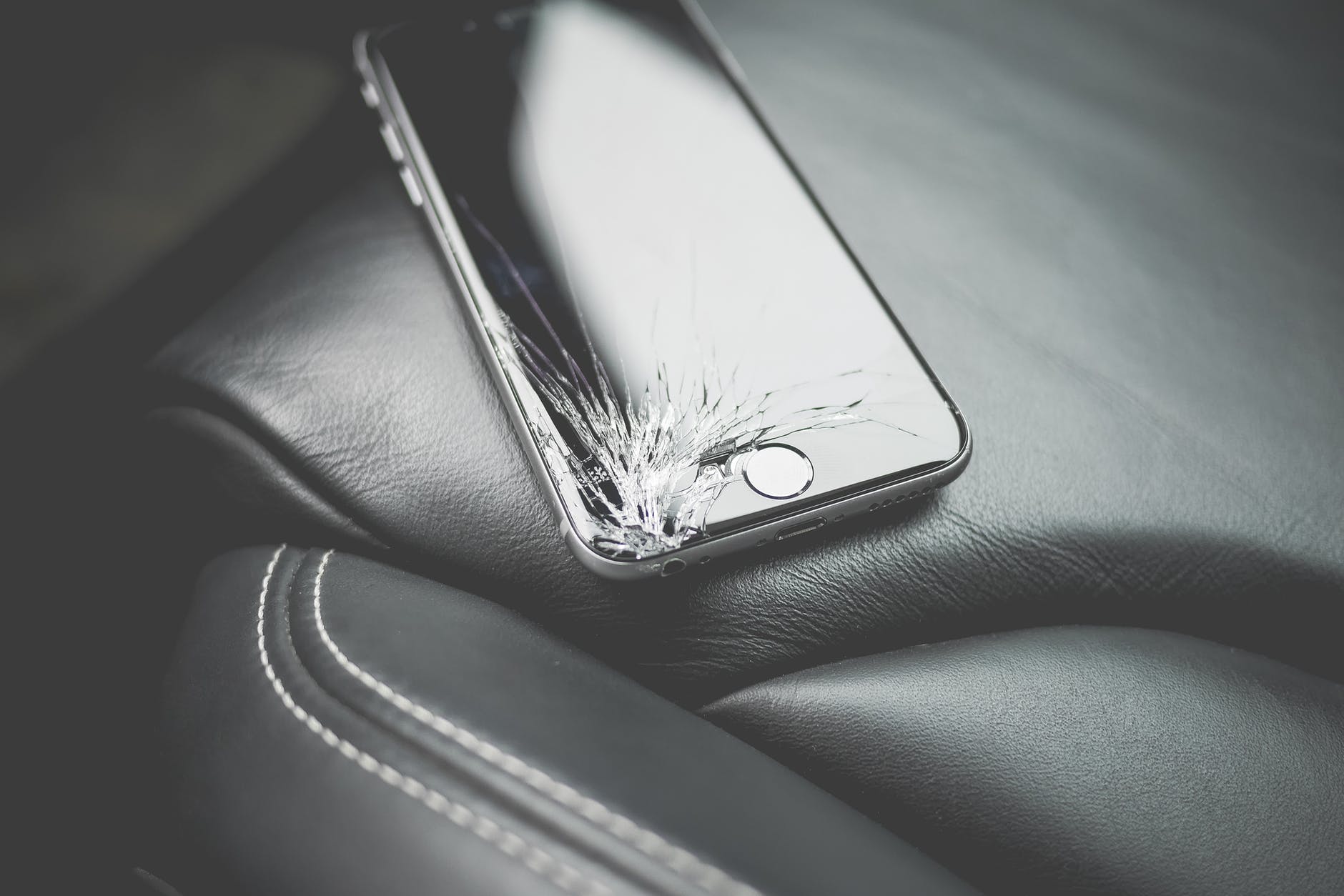
Right after you pick up your dropped phone and realise to your dismay that the screen has indeed cracked, you’re hit with the second frustrating fact. Yep, now you’ve also got to find the cash, and the time, to repair your cracked phone screen. At this stage, it can be tempting to avoid a screen repair and carry on using the cracked screen. However, there are good reasons not to procrastinate! So, let’s have a look at the top 5 reasons to repair a cracked phone screen.

1. The Problem Can Quickly Get Worse

The obvious downsides of a cracked screen include poor legibility and function loss. But not so obvious is that your phone’s glass screen also maintains your phone’s integrity and strength. So, without an intact screen, the whole device becomes weaker and more flexible. This often leads to the initial problem getting worse, and quickly.

2. You May Cut Yourself

A shattered phone screen is annoying but it’s also dangerous. Incredibly, according to Business Insider, we touch our phone screens about 2600 times a day. This creates a lot of opportunities to receive a nasty cut or transfer a fragment of glass to your face or even into your food.

3. Your Phone is Exposed

Once your phone screen is cracked, you’re leaving it open to further damage. This is because your screen keeps your phone hermetically sealed. So, moisture, dust, and dirt, all pose a threat to the internal electronics of your phone.

4. A Cracked Phone Screen May Cause Malfunctions

Initially, your phone may keep functioning normally but sooner or later it’ll begin to malfunction. Touch screen tech needs a perfect surface to work correctly. Consequently, the longer you use your cracked screen, the greater the chances of internal contamination and phone failure.

5. Deciphering Your Display Becomes Difficult

It’s no fun trying to work out the wording of a mate’s Facebook post through a cracked screen. Moreover, try using Google maps to navigate!

Don’t delay, get your cracked screen repaired today! Chat to our friendly team at SOS Phone Repairs and get a great value, speedy repair while you wait. Call 1800Phones now.

5 Tips for Making Your Mobile Phone Last Longer

We know that mobile phones are a significant investment. Mainly if it’s the latest offering from one of the major brands. But when you consider the computing power, convenience and pleasure we derive from these ubiquitous devices, we usually think it’s a price worth paying. After all, today’s mobile phone is a lifeline. It keeps us connected to our family, friends and the world. So, wouldn’t it be a good idea to look at ways to make your mobile phone last longer? Here are a few simple suggestions.

1. Buy a Good Phone Case

Some folks object to putting their beautifully designed smartphone in a bulky case. That’s understandable, but a decent impact-resistant case will help keep your phone in excellent condition. Clearly, many different phone cases exist. They range from simple rubbery edge surrounds to full-on military-style ‘bomb-proof’ models. Generally, buy a phone case that doesn’t add too much bulk but still offers a reasonable degree of protection.

2. Be Smart About Battery Charging

Mobile phone batteries can soon begin to lose their ability to hold charge if they are misused. Poor battery management can include; letting the battery go completely flat, charging the battery to 100% and leaving it on charge, and charging too often. A battery will last longest if it’s charged slowly and kept at around 50% charge.

3. Clean your Phone

Don’t let the grime and filth of everyday use build up on your phone’s ports and buttons. This can cause malfunctions. Consequently, try using a compressed air canister to blast the ports clean every week and wipe down with a micro-fibre cloth.

4. Watch out for Temperature Extremes

Mobile phones don’t work well when too hot or too cold. Either state can damage the battery and fry the processor. So, avoid direct sunlight, icy conditions and leaving your phone in the car.

5. Recycle your Old Phone

Keep your phone going longer by recycling it. Lots of people are in the market for a bargain smartphone. Plus, some phone shops are keen to buy smartphones. In fact, Apple will trade your old phone for a reasonable price if it’s in perfect condition and a later model.

Contact SOS Phone Repairs or call 1800PHONES now if you’d like to chat to an expert about looking after your phone, or to discuss getting a replacement or repair.