What to do if you Drop your Phone in Water

What to do if you Drop your Phone in Water

Unless you’re lucky enough to own a later model mobile phone that is actually waterproof, and you drop your phone in water, then you have a problem. But wait! It’s about 50 50, but all is not lost. If you act quickly and follow the steps below, you may save your water damaged phone.

What Damage does Water do to my Phone?

So, you’ve dropped your expensive portable microcomputer that cost several hundred dollars down the toilet. What exactly does the water do to the phone? Firstly, the water may short-circuit the electronics in your phone, causing irreparable damage. Microchips can burn out. Secondly, moisture left in your phone may cause corrosion that’ll eventually cause the electronics to fail. So, act fast. Retrieve the phone from the water as quickly as possible.

What Should I do with a Water Damaged Phone?

There’re a few things you shouldn’t do with a water damaged phone. First, don’t turn it on or plug it in. Essentially, mess with it as little as possible. Secondly, don’t apply heat to the phone, such as from a hairdryer. Excessive heat can cause more damage. Lastly, please don’t press any keys or move it around too much. Your objective is to prevent water from moving in the phone. Now that you’ve settled down and your heart rate is returning to normal, you need to help it dry out as quickly and gently as possible.

Drying a Wet Mobile Phone

First, disassemble the mobile. We don’t mean take it apart. Only remove the obvious things like the back, the battery, the SIM card. Now, place everything on paper towels and pat it all dry. Next, you must exercise restraint and leave the phone and components at least overnight to dry out fully. A popular technique to speed the drying is to put the phone in a bowl or bag of dry rice. This is mainly because everyone has rice and because it’s a substance that’s good at absorbing moisture. Also, those little silica bags are effective too.

The Moment of Truth

The big day has arrived; it’s time to attempt to switch on and test your phone. So, carefully put it back together, plug it in, and switch it on. With a bit of luck, it’ll light up, and away you go! Keep an eye out for odd behaviour, though, particularly button failure. On the other hand, if it fails to turn on, it may be time to either replace it, have it looked at by a phone repair specialist or make an insurance claim if you have some. Good luck!
We are specialist phone repairers and can help you get your water damaged phone working again. Call SOS on 1800PHONES now.

5 Simple Ways to Avoid Having a Broken Phone

We all carry our mobile phones with us almost everywhere we go. Consequently, we expose them to all kinds of situations and hazards likely to cause damage. Manufacturers do build phones to withstand drops, bashes, scratches and even water, but they have their limits. We all know that feeling of dread when you drop your phone, it lands hard, face down on the pavement. Then, as you reach down to pick it up, you’re praying not to see a shattered screen. Well, here are some simple tips to avoid that dread and to help avoid having a broken phone.

1. Buy a Good Case

This is probably the most effective way to avoid a broken phone. That said, there’s no need to go for a crazy super-chunky bomb-proof case! In fact, good cases are often slim, light and well designed. Essentially, you need to protect the corners and the back and front from scratches. Some cases have a protective screen cover but often just having a raised rim on the case is enough to protect it. Alternatively, look at the many wallet/phone case combo’s out there.

2. Give Your Phone a Bit of TLC

A regular clean and wipe down works wonders to prevent a broken phone. Not only will a build-up of grime effect how your touch screen works, but it can also cause port failure. Furthermore, if you’re having trouble charging your phone, check the power port for debris. Dust and fluff often build up in the port and prevent a good connection to the charger. So, try carefully clearing the port with a cotton bud or toothpick. Go easy, you don’t want to damage it. If this still doesn’t work, drop into a phone repair shop.

3. Sitting On It Will Mean a Broken Phone

It’s a good idea to get out of the habit of putting your phone in your back pocket. After all, sitting on a wafer-thin piece of glass and delicate microchips usually doesn’t end well. Also, keep your keys and coins out of your phone pocket.

4. Buy Good Quality Chargers and Cables

Right, so you’ve invested in a $1000.00 miniature super-computer that also makes phone calls. Now is not the time to just plug it into anything. Most phones need a specific power (amps) and voltage for them to charge efficiently and safely. So, avoid the $10.00 copy and buy the original OEM chargers if you can. Or, make sure the cheaper one is an accredited manufacturer. Believe me, getting this wrong can end in disaster.

5. Use a Screen Protector

There’s no doubt that modern mobile phone screens are a triumph of technology. However, they are also the weakest part. So, for just a few dollars, you can add a strong layer of protection from scratches, dirt and drops with a simple screen protector. Furthermore, a replacement can be popped on in seconds with just your fingernails and a clean cloth.

If you’d like to find out more about avoiding a broken phone or to book a quick and easy phone repair, chat to us at SOS Phone Repairs today on 1800PHONES

How to Keep Your Old Phone Running Like New

In general, people seem quite happy with their current mobile phone. After all, we spend a fair bit of time researching which one to commit to next and we like to hang on to them. In fact, iPhone enthusiasts tend to keep their iPhone for three or four years, sometimes even longer.  So, even though you love your phone, it may be becoming slow or low on memory, perhaps it has some cosmetic damage, or maybe the mobile battery life is poor. But wait! Before you rush out and buy a new one, let’s look at some ways to keep your phone running like new.

Apply Software Updates When They Arrive

It’s important to download and install updates when they appear. This is for 2 main reasons. Firstly, they usually contain essential security updates and patches that’ll help keep your data safe. Secondly, they include bug fixes and software improvements. Often, these fixes will improve the responsiveness and battery life of your phone.

Free Up Some Space

People panic when it looks like their phone memory is getting full. Let’s face it, thousands of pictures and hundreds of videos will do just that! Now would be the time to consider a cheap cloud-based subscription so that your images and vids are stored online and not on your phone. For instance, Apple Photo and Google Photo are easy to use services that are cheap, quick and easy. And don’t worry, you can still browse all your images and instantly download them for viewing.

Invest in Mobile Battery Life

Reduced mobile battery life is a common issue across all mobile phones. In fact, both Android and iPhone allow users to see which apps are eating up their battery life and make changes. So, before investing, look up ‘Battery Usage by App’. Failing this, if your phone is showing a worn-out battery (look at Battery Health), consider buying a replacement using Apple’s battery replacement program. If your phone is under warranty, a replacement should be free.

Protection for Your Phone

Some folks are purists about their phone’s design and they don’t like to compromise it with a case. However, although mobiles are far more robust than ever, it’s still worth considering a case or screen protector. There’s a huge range available ranging from minimalist to super-tough military-type cases. Lastly, phone insurance from your carrier or phone manufacturer may be worth having. Especially if you want protection from damage, loss and theft.

Chat to our friendly team today at SOS Phone Repairs on 1800PHONES for a quote on screen repairs, replacement batteries, cases and screen protectors.


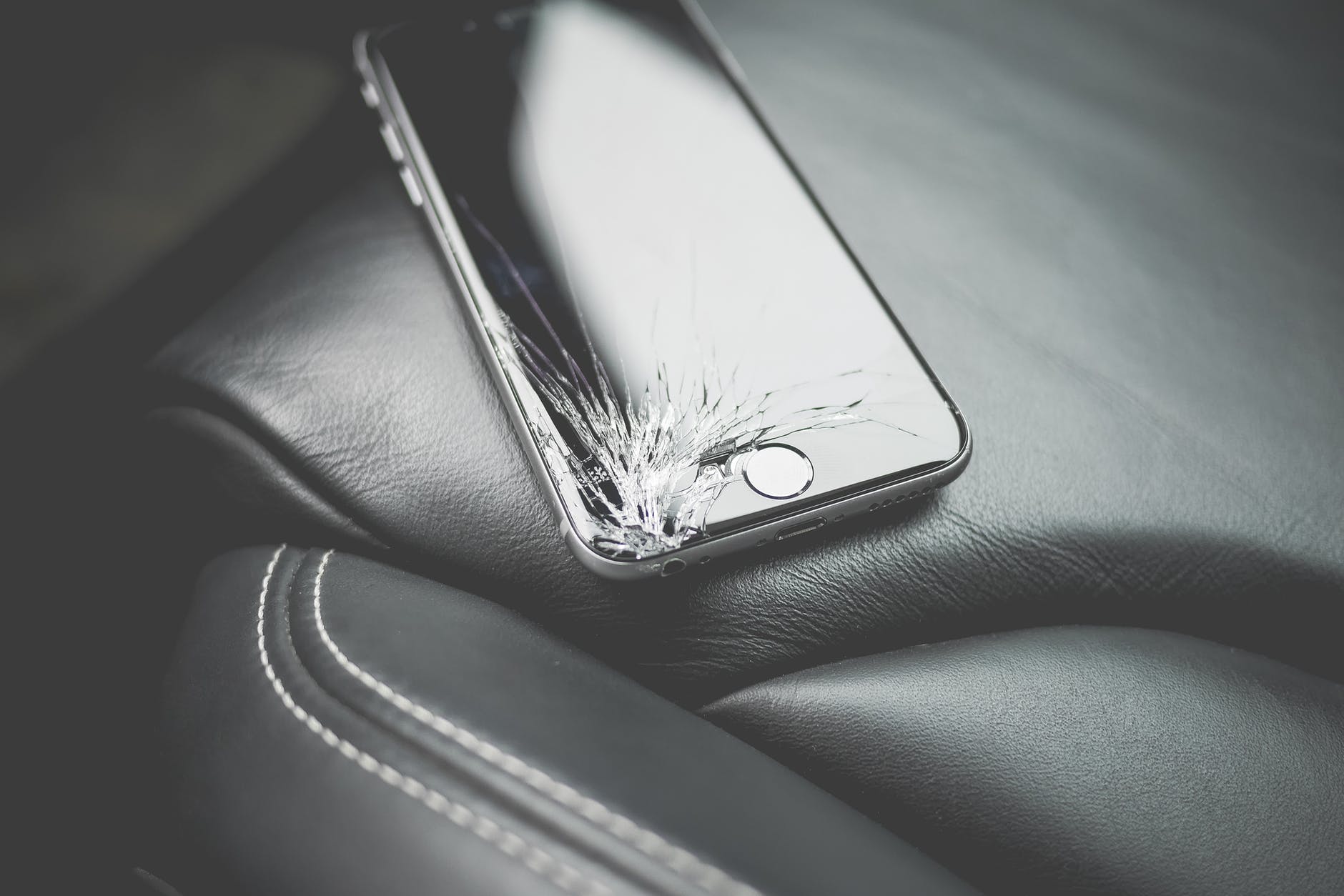
Top 5 Reasons to Repair a Cracked Phone Screen

Right after you pick up your dropped phone and realise to your dismay that the screen has indeed cracked, you’re hit with the second frustrating fact. Yep, now you’ve also got to find the cash, and the time, to repair your cracked phone screen. At this stage, it can be tempting to avoid a screen repair and carry on using the cracked screen. However, there are good reasons not to procrastinate! So, let’s have a look at the top 5 reasons to repair a cracked phone screen.

1. The Problem Can Quickly Get Worse

The obvious downsides of a cracked screen include poor legibility and function loss. But not so obvious is that your phone’s glass screen also maintains your phone’s integrity and strength. So, without an intact screen, the whole device becomes weaker and more flexible. This often leads to the initial problem getting worse, and quickly.

2. You May Cut Yourself

A shattered phone screen is annoying but it’s also dangerous. Incredibly, according to Business Insider, we touch our phone screens about 2600 times a day. This creates a lot of opportunities to receive a nasty cut or transfer a fragment of glass to your face or even into your food.

3. Your Phone is Exposed

Once your phone screen is cracked, you’re leaving it open to further damage. This is because your screen keeps your phone hermetically sealed. So, moisture, dust, and dirt, all pose a threat to the internal electronics of your phone.

4. A Cracked Phone Screen May Cause Malfunctions

Initially, your phone may keep functioning normally but sooner or later it’ll begin to malfunction. Touch screen tech needs a perfect surface to work correctly. Consequently, the longer you use your cracked screen, the greater the chances of internal contamination and phone failure.

5. Deciphering Your Display Becomes Difficult

It’s no fun trying to work out the wording of a mate’s Facebook post through a cracked screen. Moreover, try using Google maps to navigate!

Don’t delay, get your cracked screen repaired today! Chat to our friendly team at SOS Phone Repairs and get a great value, speedy repair while you wait. Call 1800Phones now.

5 Tips for Making Your Mobile Phone Last Longer

We know that mobile phones are a significant investment. Mainly if it’s the latest offering from one of the major brands. But when you consider the computing power, convenience and pleasure we derive from these ubiquitous devices, we usually think it’s a price worth paying. After all, today’s mobile phone is a lifeline. It keeps us connected to our family, friends and the world. So, wouldn’t it be a good idea to look at ways to make your mobile phone last longer? Here are a few simple suggestions.

1. Buy a Good Phone Case

Some folks object to putting their beautifully designed smartphone in a bulky case. That’s understandable, but a decent impact-resistant case will help keep your phone in excellent condition. Clearly, many different phone cases exist. They range from simple rubbery edge surrounds to full-on military-style ‘bomb-proof’ models. Generally, buy a phone case that doesn’t add too much bulk but still offers a reasonable degree of protection.

2. Be Smart About Battery Charging

Mobile phone batteries can soon begin to lose their ability to hold charge if they are misused. Poor battery management can include; letting the battery go completely flat, charging the battery to 100% and leaving it on charge, and charging too often. A battery will last longest if it’s charged slowly and kept at around 50% charge.

3. Clean your Phone

Don’t let the grime and filth of everyday use build up on your phone’s ports and buttons. This can cause malfunctions. Consequently, try using a compressed air canister to blast the ports clean every week and wipe down with a micro-fibre cloth.

4. Watch out for Temperature Extremes

Mobile phones don’t work well when too hot or too cold. Either state can damage the battery and fry the processor. So, avoid direct sunlight, icy conditions and leaving your phone in the car.

5. Recycle your Old Phone

Keep your phone going longer by recycling it. Lots of people are in the market for a bargain smartphone. Plus, some phone shops are keen to buy smartphones. In fact, Apple will trade your old phone for a reasonable price if it’s in perfect condition and a later model.

Contact SOS Phone Repairs or call 1800PHONES now if you’d like to chat to an expert about looking after your phone, or to discuss getting a replacement or repair.

Do You Still Need a Screen Protector For Your Smartphone?

There was a time, back in the day, when you wouldn’t consider leaving the phone shop without a chunky screen protector and big-bumper phone case for your new smartphone. After all, the first iPhones and Galaxy’s cost like a month’s salary and were known to be pretty delicate. In fact, one drop or bump, and it was all over for the screen. Remember the heart-stopping moment after dropping your phone when you’d reach down and slowly turn the phone face-up whilst muttering, ‘please no, please no’? Then there was the rush of pure joy if the phone screen was unmarked (unlikely) or total dismay if it was shattered (likely)? So, what about today’s phones? Do we still need to fit a screen protector?

What are Screen Protectors for iPhone and Galaxy?

Screen protectors are available in plastic and toughened glass. They provide a clear protective layer that sits on top of your existing screen. Actually, most protective screens these days are toughened glass and they provide good protection from abrasive objects, such as keys and coins. If you go to the beach a lot, it’s still a good idea to use a protective screen because sand is so abrasive, even to modern Gorilla Glass screens found on most Android phones. Similarly, iPhone have their own proprietary toughened glass that’s on a par with Gorilla.

What is Gorilla Glass?

Most smartphones today, besides iPhones, use Corning’s Gorilla Glass. This is a toughened, very hard glass with high scratch resistance. In fact, Gorilla Glass is harder than the metal used in keys, coins, and other household metal items. Also, screen protectors boast anti-fingerprint properties. But again, most modern smartphones have ‘oleophobic’ coatings that repel oils and reduce messy fingerprints.

Final Thoughts on Screen Protectors

So, essentially, screen protectors aren’t as necessary as they used to be. However, if you’re a belts and braces kind of guy, then sure, go for a screen protector. In reality, it may not do much, but you’ll probably sleep better.

If you’d like to chat to our friendly team about screen protectors or about a replacement screen, feel free to contact SOS Phone Repairs or call 1800PHONES now

6 Tips to Extend your Phone Battery Life

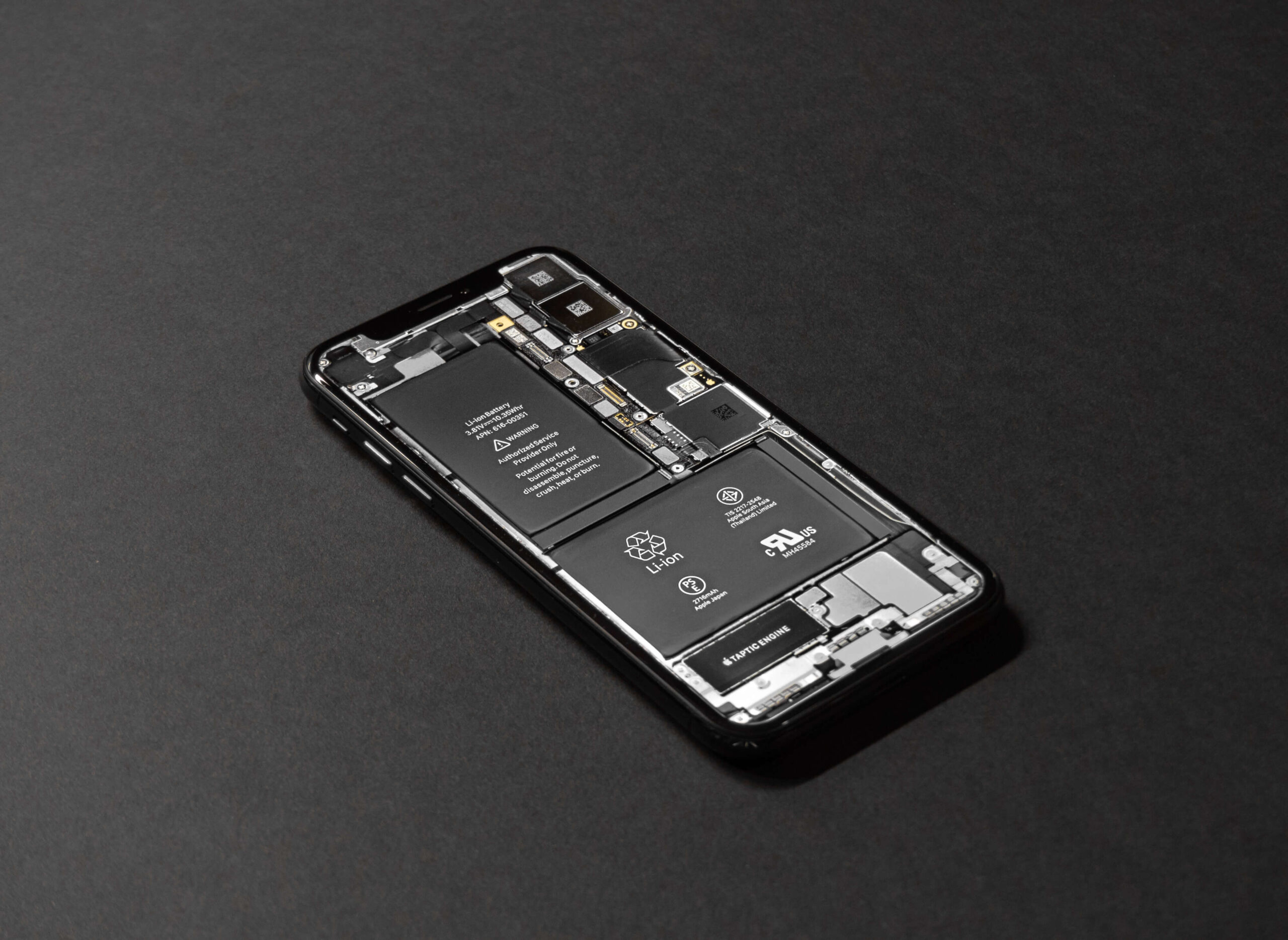
These days, phone manufacturers don’t allow easy access to replace your mobile phone battery. Consequently, phone batteries should be replaced by phone repair specialists. Also, try to choose one that offers a warranty with their work. Your mobile phone battery should give you good service, certainly for as long as your contract. However, there are several ways you can degrade your battery and consequently reduce its lifespan. In this article, we’re going to be looking at 2 different issues. Firstly, how to extend your phone battery lifespan. And, secondly, how to improve your phone battery life, i.e. increase how long a single charge will last.

1. What Degrades Your Phone Battery Life?

Every time you charge your battery, you degrade it slightly. Officially, phone manufacturers claim a battery will degrade by 20% after 400 complete charge cycles. Obviously, there are lots of variables, and this figure varies down to as low as 100 cycles to up to 1000. So, the less you drain and charge your battery, the longer it will last. Also, slow charging your battery will help too. Current wisdom concerning charge amounts seems to recommend keeping your battery around 50% charge. So, never fully charge or fully discharge your battery.

2. Avoid temperature extremes

Your battery will be adversely affected by extreme heat and cold.

3. Turn Down Screen Brightness

Obviously, turning down your mobile phone’s screen brightness will save energy. Therefore, make sure you enable Auto-screen brightness on your device. This will adjust screen brightness depending on ambient light conditions.

4. Extend Phone Battery Life by Reducing Auto-lock Time

With a bit of trial and error, you can decide on the minimum Auto-lock time that suits you. For an Android phone, an app called Tasker can activate different Auto-lock times for each separate app.

5. Choose Dark Mode

Selecting a dark theme can save battery life. This is particularly relevant for more modern OLED screens. Also, dark themes are easier on the eyes and mean less blue light which can interfere with sleep patterns.

6. Look for Battery Hungry Apps

Both iPhone and Android allow uses to see exactly which apps are using most of your battery life. For instance, a significant culprit is Facebook. Others are inconspicuously draining your battery by reporting your location and continually refreshing in the background. So, spend a bit of time deciding if you should just delete these offending apps or simply turn off background refresh and location settings.

If you’d like to chat to an expert about extending your phone battery life or to discuss getting a replacement battery, feel free to contact SOS Phone Repairs or call 1800PHONES now

6 Smartphone Security Tips You Must Do Now

According to recent research, the total number of mobile phones in use globally in 2020 is around 5 billion. About half of those mobiles are smartphones. Incredibly, this equates to about a third of the global population using their phones to browse the web, engage in social media, text, email, and make calls. So, even if you were late coming to the party, it’s likely you’re now using your smartphone every day and racking up gigabytes of accumulated personal information. At this point, you should be thinking about smartphone security. So, how will you keep your information, and privacy, safe?

1. Set-up a Passcode

This is a basic, first level of defense. This stops anybody from getting easy access to your apps and information. Also, for added convenience, set-up touch, or face ID if your device allows it. This way, you only need to apply a fingerprint or look at your camera to unlock it.

2. Avoid Suspicious Links

Treat any link you receive via text or email with caution. Basically, if you don’t know the sender then do not click it. Even if you recognise the sender, check first to make sure it was actually sent from them. Cyber-criminals are becoming more sophisticated and pretending to be someone else is their game. This is called phishing, don’t take the bait!

3. Don’t Delay, Update Today

Once you’re notified of a software update for your device, download and install it. OS updates are to add features but also to patch security flaws and provide better smartphone security.

4. Use a Unique Password Every Time

This can be annoying we know but if a hacker gets hold of a password, you can be sure they will try every account you have. So, consider using a Password Manager to help you create strong passwords and store them safely. Alternatively, write them down if you absolutely have to, but don’t keep them near your devices.

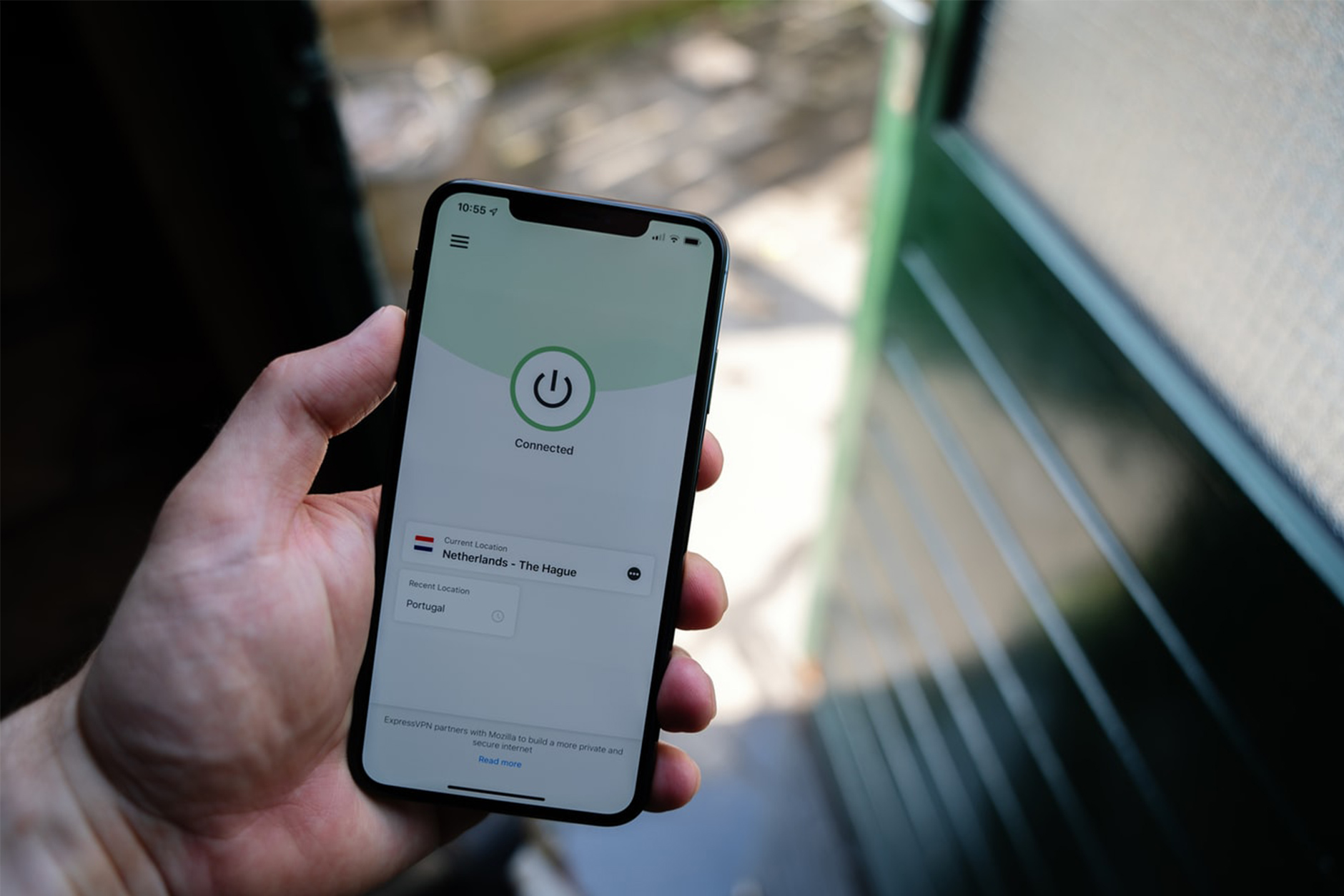
5. VPN’s For Smartphone Security

If you logon to free Wi-Fi, be sure to connect through a VPN app. Free, or Open Networks, are hotspots for cybercriminal activity. Browsing through a VPN will hide your activities from the prying eyes of the cybercriminal.

6. Backup to the Cloud

Make sure your phone is set to automatically backup to the cloud. This gives you peace of mind if your device is ever lost, stolen, broken, or hacked. Plus, if any of this happens, remember to use the ‘erase my phone remotely’ option.

If you’d like advice on any of the subjects discussed here, feel free to contact SOS Phone Repairs or call 1800PHONES today