The Concept Of Crypto Explained

The Concept Of Crypto Explained

While understanding the basics of crypto is something that goes over the heads of many of us, the good news is that it’s not as complex as you might think.

In a nutshell, cryptocurrencies – also known as virtual currencies or digital currencies – are a form of electronic money. Often shortened to crypto, this new world form of currency is traded in the form of a unit, such as a bitcoin or ether, and is more or less a digital token. These tokens are created from code using an encrypted string of data blocks, known as a blockchain.

Confused? You’re not alone. In an increasingly digital age, it shouldn’t come as much of a surprise that someone finally thought of a way to digitise money beyond an online bank account, debit or credit card, but that doesn’t mean that we’re at a point where it’s used on an everyday basis – yet. In order to break the concept of crypto down in even simpler terms, understanding the origins of cryptocurrencies and how they work is paramount. 

A Beginner’s Guide To Crypto 

While Bitcoin is a form of cryptocurrency, it actually came before the broader term was even invented. Dubbed an “a peer-to-peer electronic cash system”, Bitcoin was the first form of crypto style digital currency, and came roaring to life in January 2009. The concept was originally set out in a whitepaper by the pseudonymous Satoshi Nakamoto, whose real identity still remains a mystery even today. 

As a decentralised digital currency without a central bank or single administrator, transactions are verified by network nodes through cryptography, and recorded in a publicly distributed ledger known as a blockchain. As all of the computers running the blockchain have the same list of blocks and transactions, and in turn can transparently see these new blocks being filled with new bitcoin transactions – it’s not possible for anyone to ever cheat the system. 

In simple terms, a blockchain collects information and data in groups, also known as blocks. As new data comes in, it is entered into a fresh block. Once the block is filled with data, it is chained onto the previous block, which makes the data chained together in chronological order.

While many different types of information can be stored on a blockchain, the most common use so far has been as a ledger for transactions. It’s for this reason that the very phrase is most commonly linked to cryptocurrencies such as Bitcoin and Ethereum. Blockchain is used in a decentralised manner, so that no single person or group has control, and instead – all users collectively retain control. Decentralised blockchains are immutable, or that the data and information entered is irreversible. Arguably, this is a major part of the appeal linked to all types of crypto. 

As the first form of crypto, it’s safe to say that Bitcoin has had a very volatile trading history. The cryptocurrency’s first price increase occurred in 2010, when the value of a single Bitcoin jumped from around $0.0008 to $0.08. It has undergone several rallies and crashes since then, which often includes daily double-digit inclines and declines. In spite of all this, there are periods when the cryptocurrency’s price changes have outpaced even their usually volatile swings, resulting in massive price bubbles. Arguably, it’s these potentially huge payoffs that have seen a spike in crypto interest around the world. 

Cryptocurrencies hold no physical form, are not issued or backed by any banks or governments, nor are individual cryptocurrencies valuable as a commodity. Despite it not being legal tender, Bitcoin in particular has managed to take the world by storm, and in turn triggered the launch of hundreds of other cryptocurrencies, collectively referred to as altcoins. 

To buy cryptocurrency, you need to buy and sell via an exchange. This means you need to create an exchange account and store the cryptocurrency in your digital ‘wallet’. If you simply want to trade cryptocurrency you just need a brokerage account, rather than accessing the underlying exchange directly.

Supporters see cryptocurrencies such as Bitcoin as the future, and are racing to buy them now, presumably before they become more valuable. At its latest peak, Bitcoin was changing hands at $41,528 on Jan 8, 2021. However, just three short days later, it was back at $30,525.39. Today, there are now over 13,000 known cryptocurrencies trading publicly, so it’s safe to say that what was once dubbed a ‘fad’ isn’t disappearing anytime soon. 

Talk Tech With The Professionals 

SOS Phone Repairs are specialists in high-quality, cost-effective phone repairs, tablet repairs, and PC repairs, all backed with a six month warranty. Founded in 2015 in Coffs Harbour and now with over sixteen outlets located all over Australia, our primary driving factors remain the same: people and phones. 

Whether it’s to get a few more years out of your trusted iPhone, to fix one up to sell, or to repurpose an old one as a gift, repairing a smartphone might just be easier and cheaper than you think. However, if you’re in the market for a new smartphone, SOS Phone Repairs also stocks a wide variety of refurbished handsets at a fraction of the cost of a brand new one. 

While each has been carefully restored to perform at their best, all refurbished smartphones purchased through SOS also come with a twelve month warranty, and can be purchased at any of our sixteen store locations. Even if you’re not on the hunt for a new phone, it’s always worth bringing your existing one in for a free health check to ensure it’s performing at its best.

If you are on the hunt for a quote, diagnostic, or even just some good old fashioned, friendly advice, please don’t hesitate to get in touch or give us a call today at SOS Phone Repairs.

Curbing Your Smart Phone Addiction

If you want to have a healthy relationship with your smart phone, setting some clear boundaries around it’s usage is often considered to be the first step.

Whether we care to admit it or not, the technology and entertainment that owning a smart phone provides can fill a void in our life. Now more than ever, many of us seem to crave human connections, distractions and even comfort, so it’s not surprising that we turn to the tools within our reach as a means to satisfy those urges. 

While a smart phone, tablet, or computer can be a hugely productive tool, compulsive use of these devices can interfere with work, school, and even your relationships. When you spend more time on social media or playing games than you do interacting with real people, or you can’t stop yourself from repeatedly and compulsively checking texts, emails, or apps – even when it has negative consequences in your life – it may be time to reassess how much technology you’re consuming via your smart phone or device of choice. 

Building A Healthy Relationship With Your Smart Phone 

Considering the size, portability and general convenience of a smart phone, it’s no surprise that they generally come everywhere with us – admit it, even to the toilet. However, if you find yourself spending too much time on your smart phone and are ready to take a step back, the good news is that there are plenty of ways to set down some clear boundaries to separate you from your devices. 

Do An App Purge – Having too many options at your disposal is a surefire way to give in to the temptation of getting distracted. Instead, do a cull on the apps that you rarely or never use, as this will help you to get a good grasp on decluttering your home screen and to get a head start on what you allow to take up space on your smart phone. 

Organise By Folder – Once you’ve actioned said cull, it’s time to get organised. Many of us are guilty of letting our apps takeover our smart phones, but if they’re organised by category, such as work, travel, social media and even news, it’s a lot easier to mentally allocate time to each folder if and when it’s appropriate. 

Ways-To-Stop-Getting-Distracted-By-Your-Smart-Phone

Delete The Problem Apps – Are you prone to playing Minecraft when you should be focussing on work or finishing an assignment? Delete it – it’s as simple as that. Even if you only manage to last a day, take note of how much more you’re able to get done without the distraction. A few hours without the problem app is a lot better than wasting continuous amounts of time. 

Evict From The Bedroom – Smart phones are one of the primary offenders when it comes to getting a good night’s sleep. If your smart phone lives under your pillow or next to you on a bedside table, the temptation to scroll when you should be ‘powering down’ can strike almost anyone. Instead, leave it in a different room and invest in a manual alarm clock. 

Embrace Automation – At the end of the day, the tech giants know that smart phone usage can be problematic. One such example of this is the latest iOS release for iPhones, which now include profiles that can be customised for work, sleep, or even personal use if you need a way to turn off certain notifications to get stuff done. As such, try and embrace technology for good. 

Instead of being a slave to your smart phone, start taking the time to carefully assess ways to make sure that your smart phone works for you – and not the other way around. However, if you’re looking for further tips on navigating the digital world, then it’s always worth speaking to the professionals. 

Making The Most Of Your Smart Phone 

SOS Phone Repairs are specialists in high-quality, cost-effective phone repairs, tablet repairs, and PC repairs, all backed with a six month warranty. Founded in 2015 in Coffs Harbour and now with over sixteen outlets located all over Australia, our primary driving factors remain the same: people and phones. 

Whether it’s to get a few more years out of your trusted iPhone, to fix one up to sell, or to repurpose an old one as a gift, repairing a smart phone might just be easier and cheaper than you think. However, if you’re in the market for a new smart phone, SOS Phone Repairs also stocks a wide variety of refurbished handsets at a fraction of the cost of a brand new one. 

While each has been carefully restored to perform at their best, all refurbished smart phones purchased through SOS also come with a twelve month warranty and can be purchased at any of our sixteen store locations. Even if you’re not on the hunt for a new phone, it’s always worth bringing your existing one in for a free health check to ensure it’s performing at its best. 

If you are on the hunt for a quote, diagnostic, or even just some good old fashioned, friendly advice, please don’t hesitate to get in touch or give us a call today at SOS Phone Repairs. 

 

Your Guide To November Tech News

Whether it’s the software rollouts, games or gadget drops, here’s your SOS Phone Repairs monthly update on what’s happening with the latest November tech news. 

Technology sure is a wonderful thing, there’s simply no doubt about it. However, in order for it to stay relevant, beneficial and in theory glitch free, the dark side of it is the constant updates that the humble consumer is required to keep up with. Thankfully, there always seems to be a new way to streamline a process, eliminate a semi redundant task or even just a means to procrastinate thanks to technology – even the humble QR code has managed to change the way we work, play and essentially live. 

As a result, there always seems to be an onslaught of new product drops, software updates and even fresh games to hit the market that are regularly released so that we can make the most of this digital world – so what’s on offer this month when it comes to the latest November tech news?

Five Updates On November Tech News 

The end of 2021 is rapidly approaching, which means that the annual Christmas season shopping bonanza is just around the corner. As such, tech giants around the globe are dropping new games, software and devices left right and centre. For the savvy digital consumer who traditionally pays attention to these types of updates, we’ve deemed the below to be the most noteworthy in regards to November tech news to take note of. 

Pre-Order The New Pixel 6 – Google’s highly anticipated Pixel 6 and Pixel 6 Pro smartphone range is now available for pre-order in Australia, with customers able to place an order for a handset from the Google Store. As an extra incentive for shoppers, free shipping and a $150 Google Store credit is also on offer as a means to help sweeten the deal for those considering making the swap from Samsung or Apple. 

The Metaverse Is Here – It’s no secret that Mark Zuckerberg is a fan of thinking big, and rebranding the Facebook parent company as Meta only solidifies this view. According to Meta’s press release about the long term goal of the “metaverse”, Zuckerberg’s vision for Meta is to create a digital world where users can virtually meet, work and play using a VR headset, glasses or your device – think of it kind of like a real-life video game.

Limited iPhone 13 Production – Thanks to the pandemic related shutdowns of factories and limited materials, the global chip shortage has been blamed for Apple producing less iPhone 13 models than it had initially planned for. While it’s likely Apple will eventually be able to increase production again in the early stages of 2022, the lowered production estimate means it’s likely to be even harder to find the already popular iPhone 13 in the upcoming coming months. 

Facebook Farewells Facial Recognition – Although it’s been an opt-in service since 2019, Facebook have announced that they will be doing away with the platform’s facial recognition features thanks to ongoing privacy concerns. People who had opted in would no longer be automatically recognised in photos and videos, and the tech giant has stated that they will be deleting the faces of over one billion users from around the world. 

Netflix To Launch Android Games – It would seem that dominating the world of streaming isn’t quite enough. As a result, Netflix is seeking  to break into the lucrative game subscription market, and has announced that it is launching its first mobile games worldwide, initially for Android devices. It’s development division has also stated that all users need is an active Netflix subscription, and that the games will have no ads, no fees, and no in-app purchases. 

Talk November Tech News With The Professionals

SOS Phone Repairs are specialists in high-quality, cost-effective phone repairs, tablet repairs, and PC repairs, all backed with a six month warranty. Founded in 2015 in Coffs Harbour and now with over sixteen outlets located all over Australia, our primary driving factors remain the same: people and phones. 

Whether it’s to get a few more years out of your trusted iPhone, to fix one up to sell, or to repurpose an old one as a gift, repairing a smartphone might just be easier and cheaper than you think. However, if you’re in the market for a new smartphone, SOS Phone Repairs also stocks a wide variety of refurbished handsets at a fraction of the cost of a brand new one. While each has been carefully restored to perform at their best, all refurbished smartphones purchased through SOS also come with a twelve month warranty, and can be purchased at any of our sixteen store locations.  

If you are on the hunt for a quote, diagnostic, or even just some good old fashioned, friendly advice, please don’t hesitate to get in touch or give us a call today at SOS Phone Repairs. 


Six Apple AirPods Pro Tips And Tricks

If you’re a fan of using Apple’s latest wireless gadget offering, then here’s a few of our favourite AirPods Pro tips to make the most of the new technology. 

When Apple founder and visionary Steve Jobs began designing the world’s first iPhone all the way back in 2005, he had two choices – shrink the MacBook, or enlarge the iPod. As such, the humble iPhone has all but cemented its place as a revolutionary contribution to how we live, work and play in the 21st century. Since its initial release in 2007, the iPhone’s features have certainly come a long way. Improvements have been made to keep up with consumer demand, such as larger screen sizes, waterproofing, the ability to install third party apps, and many more accessibility features.

Despite the innovation that Apple has long prided themselves on, at some point they also have to incorporate user demand into their product releases. The more gadgets we own, the more cords and wires we seem to accumulate, so it was only a matter of time before wireless headphones became a ‘thing’. 

As such, the first generation of AirPods – or wireless Bluetooth earbuds designed by Apple – were released to the public in 2016. In addition to playing audio, AirPods contain a microphone that also filters out background noise, along with built-in accelerometers and optical sensors capable of detecting taps. Innovative and ground-breaking features such as this allowed for updates such as double tapping to pause the audio output, and placement within the ear, which enables automatic pausing of audio when they are taken out. Not only were the pesky wires now gone, but the entire concept of how headphones could work were turned upside down. 

Like most Apple products, AirPods also went on to offer a tiered product system – the entry level AirPods, mid range AirPods Max and of course, the premier AirPods Pro. For the latter, what exactly makes them so special, and what are some of the more common AirPods Pro tips that users can deploy in order to make the most of them?

Apple-AirPods-Pro-Uses

Our Top AirPods Pro Tips To Try Yourself 

When compared to their predecessors, industry experts claim that AirPods Pro models really are in a league of their own. While the base model Apple AirPods allow users to listen to all of their favourite audio like music and podcasts, chat to Siri, access features through a mere tap, check battery levels and even find their headphones should one (or two) go missing, the AirPods Pro have well and truly kicked things up a notch.

With AirPods Pros, users can get a better fit via earpiece customisation, tweak the audio quality, optimise battery charging, and take full advantage of the newer features released through the latest iOS updates. However, many users aren’t even aware of half of their features, so what are some AirPods Pro tips and tricks to deploy to enhance their every day performance? 

Deploy As A Hearing Aid – When you talk with someone and the AirPods Pro are in their ear, their beam-forming microphones will take the other person’s voice and isolate it for clarity when they are in a noisy environment. Ultimately, the newly introduced Conversation Boost feature can help them hear better during everyday conversation. 

Active Noise Cancellation – Arguably one of the biggest advantages that AirPods Pro have over their predecessors is the noise cancellation feature. When it’s turned on, noise cancellation blocks nearly all background noise that you’d normally hear with regular earbuds or the standard AirPods, but transparency mode can also easily be reactivated if and when required. 

Share With Other Users – Ever wanted to share a song with someone without sacrificing one half of your headphones? If someone else has a set of AirPods Pro or even regular AirPods, you can both listen to the same tunes or podcast together. Access is issued via the Control Centre on your iPhone, and tapping the AirPlay icon for the current audio to share. 

Customise Press Mode – Instead of tapping on one of the AirPods, you’ll be using the stems of the AirPods Pro as buttons. There isn’t actually a button there, it’s a pressure-sensitive section that can replicate how you’d use a button. Users can change the settings on what press does what, such as skipping a song, pausing audio and even switching off noise cancellation. 

Hello Spatial Audio – In yet another upgrade from the previous AirPods, AirPods Pro have upgraded headphone sound quality to a whole new stratosphere. To understand what spatial audio actually is, switch it on in your iPhone’s Bluetooth menu, and watch videos with audio that is a surround sound experience, as the audio ‘moves’ if you turn your head or change direction. 

Instead of being a slave to your smart phone, start taking the time to carefully assess ways to make sure that your smart phone works for you – and not the other way around. However, if you’re looking for further tips on navigating the digital world, then it’s always worth speaking to the professionals. 

Making The Most Of Your Smart Phone 

SOS Phone Repairs are specialists in high-quality, cost-effective phone repairs, tablet repairs, and PC repairs, all backed with a six month warranty. Founded in 2015 in Coffs Harbour and now with over sixteen outlets located all over Australia, our primary driving factors remain the same: people and phones. 

Whether it’s to get a few more years out of your trusted iPhone, to fix one up to sell, or to repurpose an old one as a gift, repairing a smartphone might just be easier and cheaper than you think. However, if you’re in the market for a new smartphone, SOS Phone Repairs also stocks a wide variety of refurbished handsets at a fraction of the cost of a brand new one. 

While each has been carefully restored to perform at their best, all refurbished smartphones purchased through SOS also come with a twelve month warranty, and can be purchased at any of our sixteen store locations. Even if you’re not on the hunt for a new phone, it’s always worth bringing your existing one in for a free health check to ensure it’s performing at its best. 

If you are on the hunt for a quote, diagnostic, or even just some good old fashioned, friendly advice, please don’t hesitate to get in touch or give us a call today at SOS Phone Repairs. 


Eight Productivity Apps To Try

Whether you need help with time management, organisation or even getting in the right headspace, there’s a range of productivity apps that can help you get moving. 

While it may sound like a bit of an oxymoron to use your smartphone as a means to boost your productivity, the simple fact of the matter is that you’re not the only one who struggles to stay focused. Although we live in an increasingly digital age, technology has also brought with it an extra set of distractions on top of whatever happens to pop up during our day to day lives. 

However, our smartphones are capable of some truly magical things if we know how to use them properly. Thanks to larger screens and more powerful processors, your phone can also double as a mobile workstation, calendar and even a pocket organiser, letting you tackle tasks when you’re out and about. When actioned and embraced, productivity apps can help us get organised and free up our time, so that we can get back to doing the things we enjoy – but which are regarded as some of the best or most useful?

Our Favourite Productivity Apps For Smartphones 

If you’re on a mission to get more out of your day or to perhaps get back on top of that ever expanding to-do list, we’ve made a collection of our go-to productivity apps for iOS and Android smartphone users. Whether you need help organising a project or simply need assistance with ‘getting in the zone’, the good news is that if you’ve thought of it – there’s a high chance that there’s an app for it. 

Todoist – As a planner app that keeps things efficient with a clean approach to interface and task management, Todoist is one of the best free productivity apps for both Android and iOS users. From jotting down a thought, one-off or recurring tasks, colour-coded priority levels, shared projects, and productivity graphs that record your progress, it’s simple but does the job. 

Brain FM – If you struggle to get in the zone when it comes to powering through work, projects or to-do lists, then Brain.FM offers a scientifically backed process to help you get moving. The app offers five free sessions before moving to a subscription model, but essentially the app claims to have mastered the production of music that has been specifically designed to boost concentration, focus and – you guessed it – productivity. 

LastPass – Are you one of the many people who struggle with keeping on top of their ever expanding collection of digital passwords and logins? Fear not, as LastPass offers a solution. While users can sync their password vaults across multiple devices for internet login access, the key difference from the standard autosave features in most smartphones is the app’s ability to create and secure encrypted notes. 

apps-to-improve-productivity

Evernote – Long regarded as the go-to cross platform note taking app, Evernote far exceeds any standard apps that smartphones already have installed with their factory settings. The app allows users to not just take the notes, but to upload, store and organise pictures, audio, and even videos. The free version lets users upload 60MB worth of content monthly, with paid accounts allowing even more storage options.

Forest – Although considered to be somewhat of an out of the box concept, Forest is one of the productivity apps that’s rapidly increasing in popularity. In a nutshell, the concept helps people to beat their phone addiction, and manage their time in an interesting and arguably quite pleasant way. Users can earn credits by not using their mobile phones – often when they’re not supposed to be – and plant real trees around the world with the credits accumulated. 

Toggl – Do you ever feel like time just slips through your hands? Available on both desktop, iOS and Android, Toggl is a time management app that allows users to get organised, and features elements such as tracking reminders, a Pomodoro timer and offline mode. Users can start, stop, and log times and tasks on your mobile phone or desktop with data syncing between the two platforms, allowing you to easily record hours spent on projects or tasks.

Trello – Free for both iOS and Android users, Trello is one of the most popular productivity apps for those that need a little bit of help with project management and tracking tasks. It’s essentially a highly customisable digital bulletin board, and users can set up anything from to do lists, tasks, notes and more. Users create ‘lists’, which are dynamic containers that can be filled with ‘cards’. All of this can be shared with other users, with provisions for creating new cards, adding comments, and assigning tasks.

Pocket – Are you guilty of falling into Wikipedia wormholes when you should be working or doing something else? Pocket is an app that allows users to save them for later, or essentially put the article or link in question in their ‘pocket’. The app is essentially a ‘read it later’ style service, and is a great offline tool that can be used to select and save articles, pictures and videos to come back to at a later time. Think of it like Netflix’s ‘watchlist’ for online links. 

Instead of being a slave to your smartphone, this comprehensive range of productivity apps can go a long way with ensuring that your smartphone works for you – and not the other way around. However, if you’re looking for further tips on navigating the digital world, then it’s always worth speaking to the professionals. 

Making The Most Of Your Smartphone 

SOS Phone Repairs are specialists in high-quality, cost-effective phone repairs, tablet repairs, and PC repairs, all backed with a six month warranty. Founded in 2015 in Coffs Harbour and now with over sixteen outlets located all over Australia, our primary driving factors remain the same: people and phones. 

Whether it’s to get a few more years out of your trusted iPhone, to fix one up to sell, or to repurpose an old one as a gift, repairing a smartphone might just be easier and cheaper than you think. However, if you’re in the market for a new smartphone, SOS Phone Repairs also stocks a wide variety of refurbished handsets at a fraction of the cost of a brand new one. 

While each has been carefully restored to perform at their best, all refurbished smartphones purchased through SOS also come with a twelve month warranty, and can be purchased at any of our sixteen store locations. Even if you’re not on the hunt for a new phone, it’s always worth bringing your existing one in for a free health check to ensure it’s performing at its best.

If you are on the hunt for a quote, diagnostic, or even just some good old fashioned, friendly advice, please don’t hesitate to get in touch or give us a call today at SOS Phone Repairs.
A Summary Of October Tech News

Whether it’s the software rollouts, games or gadget drops, here’s your SOS Phone Repairs monthly update on what’s happening with the latest October tech news. 

Technology sure is a wonderful thing. However, in order for it to stay relevant, beneficial and somewhat glitch free, the dark side of this is all of the constant updates that the humble consumer is required to keep up with. Thankfully, there always seems to be a new way to streamline a process, eliminate a redundant task or even just a means to procrastinate with technology. Even the humble QR code has managed to change the way we work, play and essentially live. 

In a nutshell, the onslaught of new product drops, software updates and even fresh games to hit the market are regularly released so that we can make the most of this digital world, so what’s on offer this month when it comes to October tech news?

Five October Tech News And Updates 

With the end of 2021 rapidly approaching and well and truly in sight, tech giants around the globe are dropping new games, software and devices left right and centre. Considering that Christmas is just over two months away, on a global scale, it’s a date that the tech giants are hoping to capitalise on. As such, for the savvy digital consumer, we’ve deemed the below to be the most noteworthy this month in regards to October tech news. 

Windows 11 Is Here – The often discussed successor to the popular Windows 10 came as a bit of a surprise to tech circles, but after months of speculation, Windows 11 has finally arrived. The best part? Other than the new range of features that include a whole new look, if you’re currently using Windows 10 and can meet the strict system requirements, Windows 11 is completely free to download. 

And So Is Microsoft Office 2021 – Just like Windows 11, Microsoft Office 2021 will be released in Australia on October 5. Beyond performance improvements across the board, highlights from the subscription based package include support for OpenDocument format (ODF) 1.3, new Excel functions, a new presentation recording feature for PowerPoint, updated translation functionality for Outlook, and the inclusion of the increasingly popular Microsoft Teams. 

Apple Watch 7 Is Dropping – While Apple revealed it’s latest smart watch alongside the iPhone 13 and iPad Mini 6 just last month on September 14, it didn’t share a release date at the time of its unveiling. Confirmed to be released in Australia on October 15, the Apple Watch 7 looks like a modest upgrade with a larger screen than its predecessors, although the display is said to be as much as 70% brighter when compared to Apple’s previous releases. 

And So Is Google Pixel 6 – It’s starting to sound like the Google Pixel 6 and Pixel 6 Pro could be the most intriguing Pixel phones released by the Silicon Valley giant in a long time, with the company appearing to rebound from 2020’s disappointing Pixel 4a, 4a 5G and 5. Rather than releasing all the details on its new Android phones prior to their drop on October 19, Google is instead putting the focus on the new system chip called Tensor. 

Google Plex Cancelled – Back in 2020, Google confirmed that it was developing its own banking and personal finance service called Plex, with the concept being for consumers to have an app to simplify paying for things and managing their finances. Despite more than twelve months of work already being invested, Google has confirmed that it has cancelled the project after missing multiple deadlines and seeing key workers leave the company.

Want To Talk October Tech News With The Professionals? 

SOS Phone Repairs are specialists in high-quality, cost-effective phone repairs, tablet repairs, and PC repairs, all backed with a six month warranty. Founded in 2015 in Coffs Harbour and now with over sixteen outlets located all over Australia, our primary driving factors remain the same: people and phones. 

Whether it’s to get a few more years out of your trusted iPhone, to fix one up to sell, or to repurpose an old one as a gift, repairing a smartphone might just be easier and cheaper than you think. However, if you’re in the market for a new smartphone, SOS Phone Repairs also stocks a wide variety of refurbished handsets at a fraction of the cost of a brand new one. While each has been carefully restored to perform at their best, all refurbished smartphones purchased through SOS also come with a twelve month warranty, and can be purchased at any of our sixteen store locations.  

If you are on the hunt for a quote, diagnostic, or even just some good old fashioned, friendly advice, please don’t hesitate to get in touch or give us a call today at SOS Phone Repairs. 


Five Samsung Galaxy Hacks To Try

While many Samsung Galaxy users have been long term fans of the Android based systems in place, many are unaware of the smart phone’s full capabilities. 

Although the branding of the Samsung Galaxy is most closely associated with the smartphone model, the product line also includes the Samsung Galaxy Tab series of tablets, the Samsung Galaxy Note series of tablets and stylus type phablets, the new foldable Galaxy Z phones series, and a range of smart watches that fall under the Galaxy Gear banner. All Samsung Galaxy devices use the Android operating system pioneered and produced by Google, with a custom user interface dubbed One UI, while previous versions of the system were known as Samsung Experience and TouchWiz. 

While the tech giant’s reach is certainly vast when it comes to devices and products, the Samsung Galaxy range of smartphones are arguably the brand’s best seller. Industry titans like Samsung know just how much consumers value the quality, performance, bells and whistles of their smartphones, and in turn have invested heavily into them. Alongside the iPhone, the Samsung Galaxy is regarded as one of the world’s very best products in this heavily competitive marketplace. 

However, in an age where smartphones can do just about anything, do the owners of such products truly know how to make the most of the things that they can do? Perhaps yes, perhaps no, but let’s explore some of the lesser known hacks when it comes to mastering the performance of a Samsung Galaxy smartphone. 

Insider Tricks To Master The Samsung Galaxy

No doubt as an effort to establish themselves as market leaders, the big wigs at Samsung have added many of their own flairs to the Android based smartphone models that the company manufactures. These unique sets of capabilities are exclusive to Samsung Galaxy smartphones, so users can be forgiven if they aren’t fully aware of their phone’s capabilities. 

Split Screen Capability – Although many Android phones allow users to split the screen in two as a means to view a couple of apps at once, Samsung have taken this a step further via ‘pinning’ an app – like a video, a Twitter feed or even a portion of a map – into split screen mode, leaving one clip active while you work on something else. To activate this, head to the navigation bar and tap and hold the ‘Recents’ button. Scroll to the app you want to pin, and tap on the round app icon above the window. In the dialog box, choose ‘Open In Split-Screen View’, and your dual interface is ready to rumble. 

Hide Your Apps – In the increasingly digital world we live in, more and more people seem to like the reassurance that an added layer of security provides. As such, Samsung Galaxy smartphones now have a ‘Secure’ folder that more or less acts like an encrypted digital safe. Users can hide apps and files in their secure folder by setting a password, PIN, or fingerprint scan to protect them. To set up your safe, launch the Secure Folder app from your app drawer. Once you’ve protected the app, use the ‘Add Apps’ and ‘Add Files’ buttons to drop new stuff into the folder, safely hidden away from anyone who might get access to your phone.

Activate Easy Mode – It can be easy to forget sometimes that not everyone is ultra experienced with how to ‘drive’ a smartphone. Thus, if you or someone you know identifies as a rookie smartphone user, or perhaps misses the days of Nokia 3315’s, Samsung Galaxy smartphones now offer users the chance to simplify the interface via switching the home screen to ‘Easy Mode’ as a means to give quicker access to the features you need the most. To enable ‘Easy Mode’, it’s as simple as navigating to Settings > Home Screen Mode. Select ‘Easy Mode’ followed by the ‘Apply’ button, and you’re good to go. 

Image Headset Control – Many Samsung users are already aware that when taking a photo or recording a video, you can zoom in and out using the volume buttons on the side of your phone. However, a little known fact is that the controls to zoom in and out can also be used from an attached headset via headphones. It’s particularly handy if you want to record steady video, as pressing the buttons on the side of your device is likely to introduce the dreaded camera shake and induce a lower quality result. Instead, users can record steady video by placing the smartphone on a tripod, and using headphones to zoom in remotely.

Try Smart Alarm – The sad reality is that most of us aren’t big fans of alarm clocks, which are necessary evils in many of our day to day lives. However, if you’re hoping to wake up slightly fresher, did you know that your Samsung Galaxy smartphone has the capability of pushing this in the right direction? If enabled, Smart Alarm begins sounding around three minutes before your normal alarm time. The idea is to start the day gradually, as relaxing music is played at a slowly-rising volume with the screen also ‘waking up’ at the same pace. To enable this, press the ‘More’ button when creating a new alarm and hit the ‘Smart Alarm’ feature.

At the end of the day, a smartphone is a cellular device that allows you to do more than make phone calls and send text messages. They’re quite literally designed to make our day to day lives easier and more efficient, so it’s important to get familiar with the lesser known features of yours if you want to get the best bang for your buck. 

Making The Most Of Your Smartphone 

SOS Phone Repairs are specialists in high-quality, cost-effective phone repairs, tablet repairs, and PC repairs, all backed with a six month warranty. Founded in 2015 in Coffs Harbour and now with over sixteen outlets located all over Australia, our primary driving factors remain the same: people and phones. 

Whether it’s to get a few more years out of your trusted Samsung Galaxy, to fix one up to sell, or to repurpose an old one as a gift, repairing a smartphone might just be easier and cheaper than you think. However, if you’re in the market for a new smartphone, SOS Phone Repairs also stocks a wide variety of refurbished handsets at a fraction of the cost of a brand new one. 

While each has been carefully restored to perform at their best, all refurbished smartphones purchased through SOS also come with a twelve month warranty, and can be purchased at any of our sixteen store locations. Even if you’re not on the hunt for a new phone, it’s always worth bringing your existing one in for a free health check to ensure it’s performing at its best. 

If you are on the hunt for a quote, diagnostic, or even just some good old fashioned, friendly advice, please don’t hesitate to get in touch or give us a call today at SOS Phone Repairs. 
What Apps Use The Most Data In 2021

The best features of modern smartphones often require access to the internet, so in order to avoid a series of hefty phone bills – what apps use the most data?

Whether you rely on WiFi or mobile roaming, every app on your smartphone will one way or another use data to operate. Whether it’s refreshing your feed on social media, using your location for directions or even to receive an email, think of your phone’s apps as cars, and data as the fuel that they require in order to operate. 

However, staying on top of what apps use the most data isn’t just about how much internet you’re using. Unfortunately, having too many apps ticking over in the background is also a surefire way to drain your phone’s battery life. Users might not even know which apps still use data even if they’re not in use, which is why it’s important to conduct regular check-ins when it comes to monitoring your data usage – but how exactly do you do that?

How To Check What Apps Use The Most Data 

As a general rule, the biggest offenders linked to sucking up data on your smartphone are streaming apps like Netflix and Stan, social media apps like Instagram and Tik Tok, and apps that use your location such as Uber and Google Maps. 

Thankfully, smartphones offer the ability to track the amount of data each of these apps in question are sucking up, and more importantly – how they use it. Depending on the brand of smartphone in question, most of the time users have the power to restrict outgoing data with a number of tweaks available. 

For Android users, checking what apps use the most data is done by going to your phone’s main Settings menu, followed by Connections, and then Data Usage. On the next menu page, select ‘Mobile Data Usage’ to see a rundown of what apps you’ve used so far this month, and how much data they use. At the top of that page, users can also adjust the time period that they’re viewing, which in turn allows you to see how this month’s data use is stacking up when compared to the previous month.

In comparison, iPhone users also have similar access to managing what apps use the most data based on their unique scrolling habits. Simply go to the Settings menu, followed by Mobile, and then scroll down the page until you spot Mobile Data. This section outlines which app uses what in terms of data consumption, along with allowing users to ‘switch off’ which apps have access to mobile data. Users can also reset the data period measured at the bottom of the page. 

What-Apps-Use-The-Most-Data-In-20214

If you’re prone to going over your data limit each month, the good news is that there’s plenty of options available to reduce your consumption other than simply turning it off. 

Turn Off Automatic Downloads – Updates roll through for the apps on your phone every few weeks or so, but if you don’t have automatic updates turned off, these will be downloaded to your phone at any time – with or without a WiFi connection. 

Adjust Streaming Settings – The easiest way to cut back on data usage is to lower the definition of your stream. While you’ll sacrifice quality, it may be better to watch a slightly lower quality picture as opposed to paying a bigger monthly phone bill.

Use Offline Downloads – Film, television and music streaming apps give us access to an enormous amount of content. If you’re likely to binge something whilst on your way to work or on a long car trip, download content to watch offline using WiFi instead of streaming it live. 

Turn Off AutoPlay – Unsurprisingly, video is the biggest data killer. While not available on all apps, you can change your settings on social media apps like Facebook via Settings > Media and Contacts > Videos and Photos > Auto-play > Never Auto-Play Videos. 

Monitor Location Services – Apps like Uber and Google Maps constantly use data to update your location, even when you’re not using the apps. To put a stop to this data sucker, users can alter the background location services via Settings > Privacy > Location Services.

Making The Most Of Your Smartphone 

SOS Phone Repairs are specialists in high-quality, cost-effective phone repairs, tablet repairs, and PC repairs, all backed with a six month warranty. Founded in 2015 in Coffs Harbour and now with over sixteen outlets located all over Australia, our primary driving factors remain the same: people and phones. 

Whether it’s to get a few more years out of your trusted iPhone, to fix one up to sell, or to repurpose an old one as a gift, repairing a smartphone might just be easier and cheaper than you think. However, if you’re in the market for a new smartphone, SOS Phone Repairs also stocks a wide variety of refurbished handsets at a fraction of the cost of a brand new one. 

While each has been carefully restored to perform at their best, all refurbished smartphones purchased through SOS also come with a twelve month warranty, and can be purchased at any of our sixteen store locations. Even if you’re not on the hunt for a new phone, it’s always worth bringing your existing one in for a free health check to ensure it’s performing at its best. 

If you are on the hunt for a quote, diagnostic, or even just some good old fashioned, friendly advice, please don’t hesitate to get in touch or give us a call today at SOS Phone Repairs. 
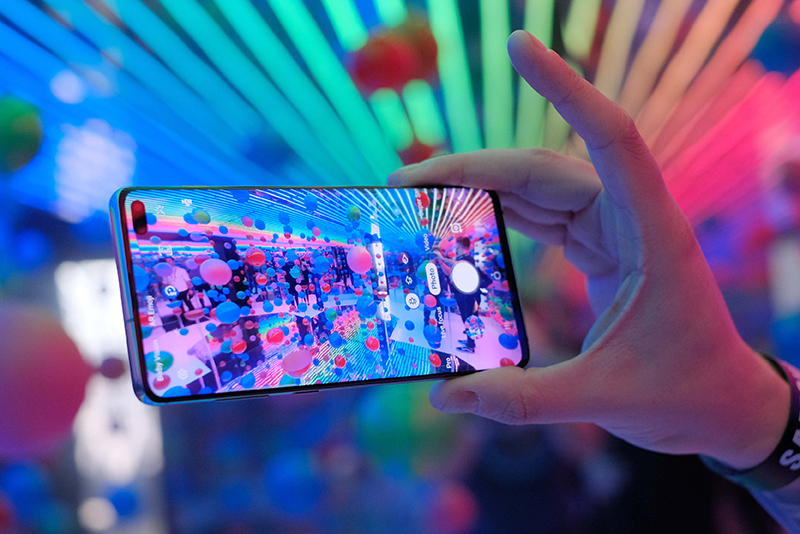
Five iPhone Photography Tips To Try

Since our smartphones now also generally double as our cameras, what are some iPhone photography tips to take better snaps and capture memories for the future?

Whether you need a means to capture your cafe brunches or simply can’t be bothered lugging around an ‘old fashioned’ point and shoot option, the quality of the camera is often one of the major factors that determine which smartphone is right for you. Unfortunately, not all were made equally, which is why many of us tend to default to one of the tried and true fan favourites – the humble iPhone.

Industry titans such as Apple know just how much consumers value the quality, performance, bells and whistles of their smartphone’s camera, and have invested heavily into improving their in house technology accordingly. While 2007’s first ever iphone was rocking a rear camera with just two megapixels, that has since ballooned to a whopping twelve megapixels on both front and back cameras. 

However, despite the company’s best marketing efforts to get you to upgrade handsets each year, that doesn’t mean that you need the latest model to take a decent photo or video. In turn, what are some of the lesser known iPhone photography tips that have the potential to be revolutionary for your Instagram page?

Our Insider iPhone Photography Tips And Hacks 

In the right hands, the photos taken with a modern smartphone are almost indistinguishable from those taken from a bulky DSLR camera, which usually go for three times the price. While some iPhone photography tips are more commonly known than others, such as harnessing the magic of the relatively new Portrait and Night modes, others are less easy to come by. 

Deploy Burst Mode – While there has always been something magnetic and attractive about moving subjects, they’re also notoriously difficult to capture. To turn it on and nail the action shot, simply hold your finger on the shutter button once you have the camera app open and running, and up to ten multiple shots per second will be fired off automatically. To activate burst mode on iPhone 11, 11 Pro, and 11 Pro Max, swipe left on the shutter button and hold to shoot in burst mode.

Tweak Your Lighting – Lighting is often one of the major bones of contention for iPhone photography enthusiasts, so having some extra control always helps. Thus, if you’ve seen the yellow focus square in your camera, notice the icon on the right hand side of it. This little button, along with the slider attached, will help you adjust the exposure and lighting of your desired image. If you need your shot to be darker, simply drag your finger down on the screen. In comparison, if you want it to be brighter and overexposed, then simply drag it up instead. 

Use The Levelling Tool – Technically not limited to just food snaps, the levelling tool is a great way to ensure that any overhead images – or ones in which you are standing directly over your subject matter – is one of the best iPhone photography tips that many people have never heard of. When you’re taking overhead shots, two plus signs (one white, one yellow) will appear on your screen. When the two ‘+’ line up and turn into one yellow ‘+’, that’s when your camera is level – just make sure that you have the grid function turned on in your main settings first. 

Control The Blur – The introduction of Portrait Mode was a game changer for a generation of selfie loving technology addicts, but the true depth of this addition is often not properly utilised. With Portrait mode, the camera creates a depth-of-field effect, which lets you capture photos with a sharp focus on the subject and a blurred background. However, users can adjust how much depth and blur is applied via the magical f-stop function at the top right of the camera screen. In a nutshell, smaller f is more background blur, bigger f is less background blur. 

Embrace HDR Mode – Using the HDR setting on your iPhone can create more balanced lighting in a scene with a ‘wide dynamic range’, i.e. a large difference between darks and lights. This software-based approach takes three photos all at once: one adjusted to the brightest parts of the scene, one adjusted to the darkest parts, and one in between. From there, the three photos are automatically combined to give you an image that doesn’t blow out the highlights or lose too much detail to the shadows, and works best when capturing landscape images. 

_Five-iPhone-Photography-Tips-To-Try4

More often than not, what phone has the best camera often boils down to your budget, what type of photos you would like to capture, and what other demands your smartphone needs to be able to meet. Thankfully, there are a vast plethora of options when it comes to sourcing the perfect fit, so just be sure to do your research prior to purchasing. After all, even the ‘older’ iPhone models are still wonderful photography tools if you know how to properly work with them. 

Sourcing Further Advice On Apple Products 

SOS Phone Repairs are specialists in high-quality, cost-effective phone repairs, tablet repairs, and PC repairs, all backed with a six month warranty. Founded in 2015 in Coffs Harbour and now with over sixteen outlets located all over Australia, our primary driving factors remain the same: people and phones. 

Whether it’s to get a few more years out of your trusted iPhone, to fix one up to sell, or to repurpose an old one as a gift, repairing a smartphone might just be easier and cheaper than you think. However, if you’re in the market for a new smartphone, SOS Phone Repairs also stocks a wide variety of refurbished handsets at a fraction of the cost of a brand new one. While each has been carefully restored to perform at their best, all refurbished smartphones purchased through SOS also come with a twelve month warranty, and can be purchased at any of our sixteen store locations.

If you are on the hunt for a quote, diagnostic, or even just some good old fashioned, friendly advice, please don’t hesitate to get in touch or give us a call today at SOS Phone Repairs.

A Round Up Of September Tech News

From the latest software rollouts to gadget drops, here’s our quick round up of the latest September tech news that we’ve deemed to be worthy of your attention.

Technology sure is great, but in order for it to stay relevant, beneficial and glitch free, the double edge sword of this new world is the constant updates that the humble consumer is required to keep up with. After all, QR codes wouldn’t work so well with the simple Nokia 3315, right?

There is always a new way to streamline a process, eliminate a redundant task or even just a means to procrastinate with technology. In essence, new product drops, software updates and even fresh games to hit the market are regularly released so that we can make the most of it – so what’s on offer this month when it comes to September tech news?

Five September Tech News And Updates 

With 2021 already well and truly past the halfway mark, tech giants around the globe are dropping new games, software and devices left right and centre – particularly as the Northern Hemisphere is hanging onto the last few days of summer, or the era that Silicon Valley would class as ‘peak season’. For the savvy digital consumer, we’ve deemed the below to be the most noteworthy this month in regards to September tech news. 

The Annual Apple Event – Apple almost always drops their new products during an annual September event held by the Silicon Valley tech giants, with the new iPhone 13 and Apple Watch Series 7 rumoured to be arriving on either September 14 or 15. Although the event is likely to be virtual, Apple fans around the world are eagerly awaiting to see what’s next.  

SpaceX Launches First Civilian Mission – Founded and operated by tech billionaire Elon Musk, SpaceX has come a long way since it was first established in 2002. On September 15, SpaceX is set to launch its first ever civilian mission aptly dubbed “Inspiration4”, with the plan being to orbit around earth every ninety minutes on a customised flight path for three days. 

Samsung Galaxy Z Flip3 – Phones with big screens have become all the rage, but many users have begun to shy away from them purely because they take up too much space. Samsung’s latest offering gives users the best of both worlds, with all the benefits of a massive screen in a device that flips down into half its size. Needless to say, the reviews have been positive. 

Foxtel Introduces iQ5 – With cable television rapidly becoming a thing of the past, Foxtel have announced their latest offering, Foxtel iQ5. With a simple plug and play set-up allowing customers to be streaming Foxtel within minutes with no cable or satellite installation needed, it’s a move that Foxtel no doubt hopes to use to win back customers from streaming services. 

Amazon Releases “New World” – Tech nerds all over the world are itching to try Amazon’s first foray into the world of online gaming, with New World set to drop in Australia on September 28. Touted as a massive RPG with over 1,000 players per server, the buy to play game is set in the 17th century, and mixes real world history with magic, mythology and hardcore fantasy. 

Want To Talk September Tech News With The Professionals? 

SOS Phone Repairs are specialists in high-quality, cost-effective phone repairs, tablet repairs, and PC repairs, all backed with a six month warranty. Founded in 2015 in Coffs Harbour and now with over sixteen outlets located all over Australia, our primary driving factors remain the same: people and phones. 

Whether it’s to get a few more years out of your trusted iPhone, to fix one up to sell, or to repurpose an old one as a gift, repairing a smartphone might just be easier and cheaper than you think. However, if you’re in the market for a new smartphone, SOS Phone Repairs also stocks a wide variety of refurbished handsets at a fraction of the cost of a brand new one. While each has been carefully restored to perform at their best, all refurbished smartphones purchased through SOS also come with a twelve month warranty, and can be purchased at any of our sixteen store locations.  

If you are on the hunt for a quote, diagnostic, or even just some good old fashioned, friendly advice, please don’t hesitate to get in touch or give us a call today at SOS Phone Repairs.