How To Speed Up iPhone Models

How To Speed Up iPhone Models

Learning how to speed up iPhone models can be a way to breathe new life into your smartphone, and reduce the day to day frustrations of using a slow device.

The iPhone is a line of smartphones designed and marketed by  Apple Inc, that use Apple’s iOS mobile operating system.  As of November 1 2018, more than 2.2 billion iPhones had been sold worldwide, and is regarded as the original smart phone and arguably the globe’s most beloved.

The humble iPhone has a user interface built around a multi-touch screen. They connect to both cellular networks and Wi-Fi, and can make calls, browse the internet, take pictures and videos, play music, and send and receive text messages and emails. Since it’s initial release in 2007, the iPhone’s features have certainly come a long way. Improvements have been made to keep up with consumer demand, such as larger screen sizes, waterproofing, the ability to install third party apps, and many more accessibility features. 

However, there’s nothing more infuriating than an iPhone that is slow, glitchy and essentially doesn’t perform the way that it’s supposed to. While every device inevitably begins to slow down with age, it can be frustrating to find that your once youthful, lightning-fast iPhone is slowing to a crawl. Thankfully, the good news is that there’s still plenty users can do when learning how to speed up iPhone models and slow down their decline. 

Six Tricks To Help Speed Up Your iPhone 

Whether we like it or not, there are many reasons as to why your iPhone might’ve slowed down, such as insufficient memory, too many background processes, outdated software and more. However, before you march off to buy a new one out of defeat, be sure to give a few of the tried and true methods outlined below a go first. 
How-To-Speed-Up-iPhone-Models4

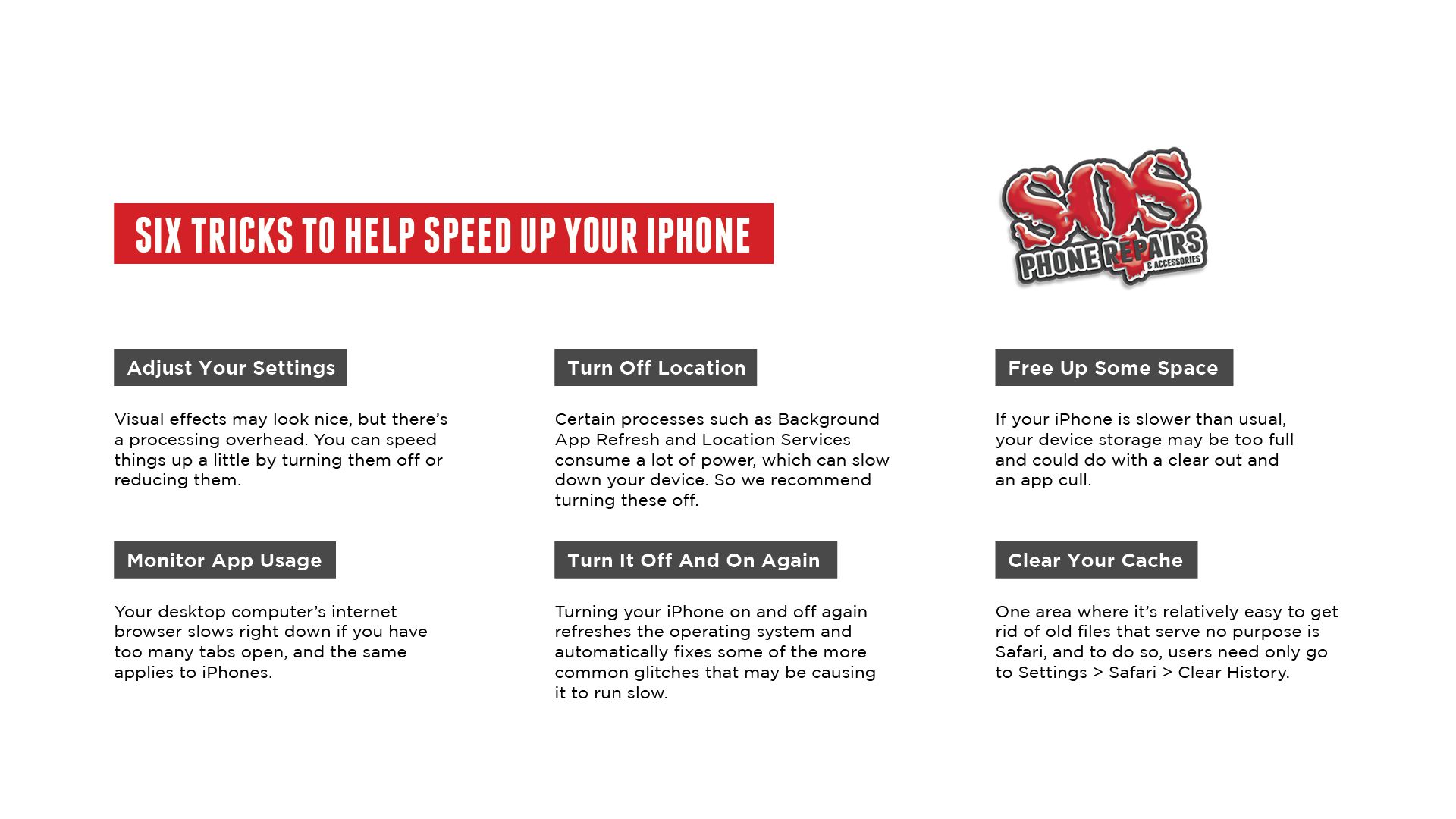
Turn It Off And On Again – Although not exactly a revolutionary insight, turning your iPhone on and off again refreshes the operating system and automatically fixes some of the more common glitches that may be causing it to run slow. It’s quick, it’s easy, and users have nothing to lose by giving this classic go-to a try. 

Adjust Your Settings – Visual effects may look nice, but there’s a processing overhead. You can speed things up a little by turning them off or reducing them. Go to Settings > Accessibility > Display & Text Size and toggle Reduce Transparency to On. You should also think about going to Settings > Accessibility > Motion and toggling on Reduce Motion.

Monitor App Usage – Your desktop computer’s internet browser slows right down if you have too many tabs open, and the same applies to iPhones. Most iPhones can handle multitasking quite well, but if you’re running a lot of resource-intensive apps such as photo or video editors or a game, your iPhone can lag or slow down, so be sure to close them when you’re done. 

Turn Off Background Location – Certain processes such as Background App Refresh and Location Services consume a lot of power, which can slow down your device. So we recommend turning these off to speed up your iPhone. These are located in your Settings under General and Privacy, so turn them off to see if your iPhone picks up any extra speed. 

Free Up Some Space – Just about all technology gets sluggish when there’s not enough storage space on the device in question. If your iPhone is slower than usual, your device storage may be too full and could do with a clear out and an app cull. To find out how much space you have left, go to Settings > General > iPhone Storage

Clear Your Cache – One area where it’s relatively easy to get rid of old files that serve no purpose is Safari, and to do so, users need only go to Settings > Safari > Clear History and Website Data. While it might slow down browsing in the short term, the long term gains by clearing out any junk files make the process worth it as a means to speed up your internet. 

Although we live in an increasingly digital age, technology has also brought with it an extra set of distractions on top of whatever happens to pop up during our day to day lives. If you’re looking for advice on how to speed up iPhone modes or are ready to give up and get a new one, then it’s always worth speaking to the professionals. 

Talk Technology With The Professionals

SOS Phone Repairs are specialists in high-quality, cost-effective phone repairs, tablet repairs, and PC repairs, all backed with a six month warranty. Founded in 2015 in Coffs Harbour and now with over sixteen outlets located all over Australia, our primary driving factors remain the same: people and phones. 

Whether it’s to get a few more years out of your trusted iPhone, to fix one up to sell, or to repurpose an old one as a gift, repairing a smartphone might just be easier and cheaper than you think. However, if you’re in the market for a new smartphone, SOS Phone Repairs also stocks a wide variety of refurbished handsets at a fraction of the cost of a brand new one. While each has been carefully restored to perform at their best, all refurbished smartphones purchased through SOS also come with a twelve month warranty, and can be purchased at any of our sixteen store locations.  

If you are on the hunt for a quote, diagnostic, or even just some good old fashioned, friendly advice, please don’t hesitate to get in touch or give us a call today at SOS Phone Repairs. 

How The Smartphone Is Getting Smarter

While the introduction of the smartphone meant that users could store access to the world in their pocket, what features can we look forward to in the future?

Considering the size, portability and general convenience of a smartphone, it’s no surprise that they generally come everywhere with us – admit it, even to the toilet. Whether we care to admit it or not, the technology and entertainment that owning a smartphone provides can fill a void and streamline our day to day lives. 

In line with demand, there are now more smartphones available on the market than ever before. Thanks to the technology now on offer, flagship smartphone pricing tends to start at $999 outright or above, with some models costing upwards of an eye watering $2,000. 

Just ten years ago, mobile phones could only do a tiny fraction of the things that their modern counterparts are capable of – so what does the future of the smartphone look like for the next decade to come?

Five Changes To Expect From Future Smartphones

Technically speaking, a smartphone is a portable device that combines mobile telephone and computing functions into one unit. The term started to get thrown around with the introduction of cameras to mobile phone devices in the early 2000s, but is generally synonymous with most models now on offer through tech giants like Apple and Samsung.

While these types of mega companies invented the world’s first smartphones, they’ve shown no signs of slowing down when it comes to upgrades to current models. As such, what can we expect from the next generation of smartphones in the years to come?

Nano Tech Batteries – While smartphones have come a long way since their early days, not much has changed in regards to their batteries or how they are charged. With the introduction of nano tech batteries, that’s all set to change. First debuted in Israel in 2015, a Samsung Galaxy S5 with a nano technology-utilising battery was unveiled, and meant that the device could charge from 0 to 100% in less than a minute.

Liquid Buttons – What if there was a happy medium between a traditional keyboard and touch screens? Liquid buttons means the roll out of keyboards that use special microfluidics technology, which drives small amounts of liquid into invisible pockets that rest over the typing pad on a smartphone. When the user brings up the touchscreen keyboard, the pockets instantly fill with liquid which has the effect of physically raising the buttons on a smartphone.

Graphene Based Devices – Since its development for practical application in 2004, graphene has been praised as “wonder material” by the electronics industry. It’s thin, lightweight, flexible, transparent and over two hundred times stronger than steel. In addition, it’s also one of the best materials for conducting electricity, so incorporating graphene into smartphones could allow for designs to be ultra-thin, transparent, flexible and virtually indestructible. 

Smart Cameras – Smartphones have already been universally celebrated for the quality of their portable built in cameras, but what if the future takes these to the next level? In 2015, Qualcomm unveiled a camera capable of identifying the objects it was looking at. The system worked by comparing real world objects to a huge reference database stored on the device, and functioned a little bit like a baby artificial intelligence.

No More Sim Cards – Although manufacturers have made efforts to reduce the size of SIM cards, they still feel very much like an afterthought or even a relic. Thankfully, Apple and Samsung are making strides to rid the world of the physical presence of SIM cards by replacing them with an electronic version, making swapping providers, travelling or living abroad significantly easier without the need to change between physical sim cards. 

To keep your current smartphone in tip top shape and ready for further advancements, it’s important to ensure that your device is up to date. However, if your device isn’t performing at its best, it might be worth having a chat with the professionals. 

Talk Tech With The Professionals

SOS Phone Repairs are specialists in high-quality, cost-effective phone repairs, tablet repairs, and PC repairs, all backed with a six month warranty. Founded in 2015 in Coffs Harbour and now with over sixteen outlets located all over Australia, our primary driving factors remain the same: people and phones. 

If you’re in the market for a new smartphone, SOS Phone Repairs also stocks a wide variety of refurbished handsets at a fraction of the cost of a brand new one. While each has been carefully restored to perform at their best, all refurbished smartphones purchased through SOS also come with a twelve month warranty, and can be purchased at any of our sixteen store locations.  

If you are on the hunt for a quote, diagnostic, or even just some good old fashioned, friendly advice, please don’t hesitate to get in touch or give us a call today at SOS Phone Repairs. 


Unpacking The Latest May Tech News

Whether it’s the software rollouts, games or gadget drops, here’s your SOS Phone Repairs monthly update on what’s happening with the latest May tech news. 

While technology sure is a wonderful thing, the dark side to these advancements often mean regular updates, new device releases, and a wide range of other obligations that the average consumer unwittingly signs up for. On the other hand, developments in technology can also provide a boost to productivity, efficiency and are often convenient ways to streamline our day to day lives. 

As such, it’s almost inevitable that there always seems to be an onslaught of new product drops, software updates and even fresh games to hit the market that are regularly released so that we can make the most of this digital world – so what’s on offer this month when it comes to the latest May tech news and updates?

Get Up To Speed With May Tech News 

Even despite what’s going on in the wide world, for the global tech giants, the show must go on. With the release of new games, software and devices still happening left, right and centre, the latest updates are always worth paying attention to. For the savvy digital consumer who traditionally follows these types of updates, we’ve deemed the below to be the most noteworthy May tech news. 

Elon Musk Buys Twitter – Although Twitter has far less active users and generates less revenue than its social media peers, this hasn’t stopped one of the world’s most famous billionaires from acquiring the platform in the name of protecting free speech. Although his initial offer was met with much scepticism, Musk purchased Twitter last week for an eye watering $44 billion dollars. As one of the most influential social media platforms, we’ll have to wait and see whether the acquisition will soon attract a younger audience or more users overall. 

NFTs Are Going Gangbusters – Following a relatively low key month in March, April sales in the NFT world have skyrocketed in comparison. NFTs, or Non Fungible Tokens, are one of a kind digital files such as photos, videos, and audio, and are stored in blockchains much like cryptocurrency. In recent weeks, the NFT artwork drops that have generated the most buzz include the latest Apien avatars, the bubble bodies produced by Imaginary Ones, and the artwork from Melbourne based Lofi Origins that celebrates hip hop culture.

Metaverse And The Hybrid Workforce – The future Metaverse that we’ve been promised is a digital world where users can meet, work, and play collaboratively across a variety of devices. Aiming to bridge the gap with virtual reality headsets, users can ‘enter’ a virtual environment that consists of interconnected worlds from apps to games. Now, Meta is experimenting with how VR will change the workplace, with virtual conferences aiming to bridge the gap between cold video calls and in person meetings.

Apple Unveils iMovie Updates – Considering the rise of short form video platforms such as TikTok, it should come as no surprise that Apple have made sweeping changes to it’s built in video editing software app – iMovie 3. Storyboards makes it easy to get started, with flexible shot lists and step-by-step guidance on which clips to capture for each video type. For those who want to create a video even faster, Magic Movie instantly creates a polished video from the clips and photos a user selects, automatically adding transitions, effects and music to the edit.

Although we live in an increasingly digital age, technology has also brought with it an extra set of distractions on top of whatever happens to pop up during our day to day lives. If you’re looking to improve your selfie game, want to learn more about your smart phone’s camera, or even need some help in choosing the right type of device based on your needs, it’s always worth speaking to the professionals. 

Talk March Tech News With The Professionals

SOS Phone Repairs are specialists in high-quality, cost-effective phone repairs, tablet repairs, and PC repairs, all backed with a six month warranty. Founded in 2015 in Coffs Harbour and now with over sixteen outlets located all over Australia, our primary driving factors remain the same: people and phones. 

Whether it’s to get a few more years out of your trusted iPhone, to fix one up to sell, or to repurpose an old one as a gift, repairing a smartphone might just be easier and cheaper than you think. However, if you’re in the market for a new smartphone, SOS Phone Repairs also stocks a wide variety of refurbished handsets at a fraction of the cost of a brand new one. While each has been carefully restored to perform at their best, all refurbished smartphones purchased through SOS also come with a twelve month warranty, and can be purchased at any of our sixteen store locations.  

If you are on the hunt for a quote, diagnostic, or even just some good old fashioned, friendly advice, please don’t hesitate to get in touch or give us a call today at SOS Phone Repairs. 


How The Metaverse Will Look By 2030

While many have said that the only limits of virtual reality are your imagination, how will this translate into the real world and the future of the Metaverse?

Considering the recent events we’ve all experienced on a global scale in recent years, video has helped to bridge the physical gaps with some virtual magic. While it’s been a medium used for anything and everything from family board games, work meetings and even attending doctors appointments, video will eventually pale in comparison to the opportunities presented through virtual reality.

It’s no secret that Facebook founder Mark Zuckerberg is a fan of thinking big, and his recent rebranding of the parent company as Meta – derived from the Greek word meaning “beyond” – only solidifies this view point. According to Meta’s press release about the long term goal of the “Metaverse”, Zuckerberg’s vision is to create a digital world where users can virtually meet, work and play using a VR headset, glasses or your device – but can he pull it off?

How The Metaverse Will Reconstruct Reality 

The future Metaverse that we’ve been promised by the tech giants in Silicon Valley is best summarised as an online digital social space, where users can meet, work, and play collaboratively across a variety of devices. The Metaverse is aiming to bridge the gap between virtual reality headsets, mobile devices, and laptops, and users can ‘enter’ a virtual environment that consists of interconnected worlds from apps to games. 

For technophiles, the future of the Metaverse represents a nirvana of sorts. In simple terms, the Metaverse is set to become a digital space to immerse yourself in any world, and participate in any physical reality, at any time. While we already have the ability to connect with people on the other side of the world, the Metaverse aims to take that one step further, and use virtual reality to not just see, but to feel. 

A core part of the experience is creating a digital avatar of yourself, which is designed to help ground your presence in this next evolution of interacting with the web. If you’re inside the Metaverse using a VR headset such as the Meta owned Oculus Quest 2, you can communicate with others from a virtual environment of your choosing while represented by your digital avatars. 

Regardless of whether you’re up for a casual chat with a friend or a work meeting, you can talk to people in the real world through their phone or webcam, while they’re displayed on a virtual screen in front of you. For now, most commercial VR experiences only provide visual and auditory feedback, but technology advancements will also introduce haptic feedback such as vibrations, meaning that users can physically touch and feel objects in a digital environment. 

By 2030, there’s a very real possibility that we could be spending more time in the Metaverse than we do in the real world. On a day to day basis, people will be applying for jobs, earning a living, meeting with friends, shopping, even getting married using the virtual capabilities of the Metaverse.

In the coming decade, higher education and job training may increasingly be provided in virtual 3D settings, along with boardroom and workplace meetings. Businesses and governments will rely on the power and reach of the Metaverse to share information, provide services and collaborate as never before. 

If the concept is still baffling you, we would recommend taking the time to watch Steven Spielberg’s recent film “Ready Player One”, which essentially depicts a virtual realm not so different to what’s on offer through the Metaverse, and is also in the not so distant future. 

However, the film also offers a warning, and doesn’t shy away from the potential downsides of retreating to a virtual world in favour of engaging in the real one, so how the Metaverse will attempt to tackle this balance is anyone’s guess.

Talk Tech Updates With The Professionals 

SOS Phone Repairs are specialists in high-quality, cost-effective phone repairs, tablet repairs, and PC repairs, all backed with a six month warranty. Founded in 2015 in Coffs Harbour and now with over sixteen outlets located all over Australia, our primary driving factors remain the same: people and phones. 

If you’re in the market for a new smartphone, SOS Phone Repairs also stocks a wide variety of refurbished handsets at a fraction of the cost of a brand new one. While each has been carefully restored to perform at their best, all refurbished smartphones purchased through SOS also come with a twelve month warranty, and can be purchased at any of our sixteen store locations.  

If you are on the hunt for a quote, diagnostic, or even just some good old fashioned, friendly advice, please don’t hesitate to get in touch or give us a call today at SOS Phone Repairs.

Personal Information Security Explained

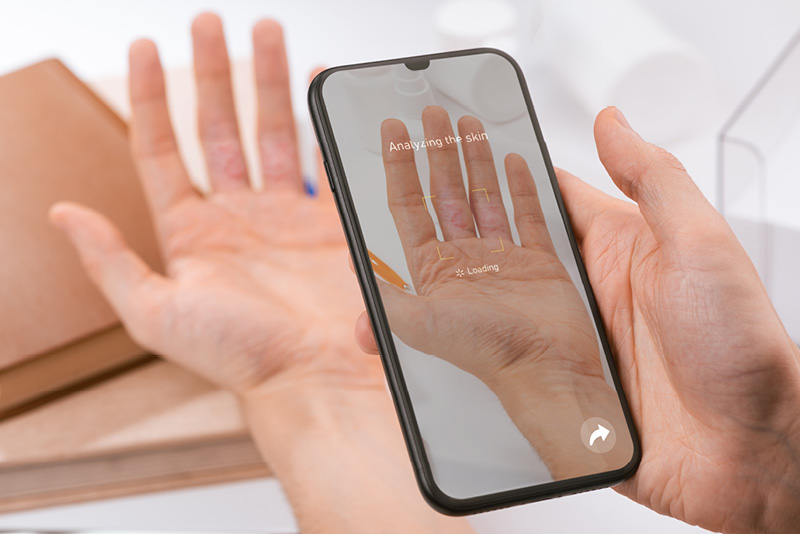
While it’s no secret that we’re living in the golden era of the smartphone, using this technology means that addressing personal information security is a must.

In Australia, the risks associated with a cyber attack are on the rise, and working from home, global instability and increased reliance on technology has proved to be the perfect storm for cybercrime. In fact, more than 60% of businesses expect a surge in reportable incidents in the next twelve months, with 2021 already shaping up to be one of the worst years on record. 

While personal information is often used by many businesses and government entities for perfectly legitimate reasons such as communication, this is not always the case. This type of data can also be misused by criminals, or even inappropriately by unscrupulous digital marketing professionals. 

For businesses and individuals alike, personal information security measures are a necessary evil to protect yourself in the digital landscape. While a growing number of brands have started to invest in access control for their systems, how can ordinary Australians protect their laptops, tablets and smartphones?

Five Key Personal Information Security Measures

As a general rule, the most common types of cyber crime include identity fraud, the theft of finances or credit card details, theft and sale of corporate data, cyber extortion, and ransomware attacks. 

While the last three are often more applicable to corporations, exposing personal information and financial details to would-be cyber criminals is something that many people do entirely by accident. In fact, it’s often as simple as opening a dodgy email, or making a purchase from an online store that doesn’t actually exist. 

Even details such as your name, address and phone number can open the door to accessing your digital usernames and passwords, which can in turn provide access to your bank details or credit cards. Unfortunately, many people are none the wiser that they’ve fallen victim to a cyber crime until it’s too late, and money starts to go missing from their accounts. 

Once upon a time, personal information security meant purchasing an anti virus software for their desktop computer. These days, we rely on more portable forms of technology such as our phones, which means that protecting yourself online has also changed – but what are your options?

Social Media Privacy – If you use social media, adjust your privacy settings to control the amount and type of information you share and make your profiles private so that only your friends can view your details. In addition, dig into the settings of your account to see what types of tracking you’ve enabled and where your personal information is distributed. 

Strong Passwords – One of the most effective ways to protect personal information online is to be smart with your passwords. Aim for long tail phrases that include numbers and special characters, and avoid anything like addresses or nicknames that would be considered relatively easy to guess as a third party. 

WiFi Connections – An unsecured network most often refers to a free Wi-Fi (wireless) network, like the types available at airports or large shopping centres. It means there’s no special login or screening process to get on the network, so don’t access personal bank accounts, or sensitive personal data on unsecured public networks to avoid any potential hacking events. 

Two Factor Authentication – Two-factor authentication means you need to pass another layer of authentication in addition to a username and password  to get into your accounts. If the data or personal information in an account is sensitive or valuable, and the account offers two-factor authentication, you should enable it. This usually includes generating a text or email. 

Check Your Credit Report – It’s often difficult to detect if you’ve been a victim of identity theft until it’s too late. Along with keeping a close eye on your bank statements, take precautions to regularly check your credit report to see if there’s any potentially hazardous defaults or listings that you don’t recognize. It’s important to nip this in the bud to keep your credit score in tact. 

Making your devices, online identity, and activities more secure really doesn’t take much effort. In fact, taking the time to tackle personal information security is very much considered to be the easy route when compared to fixing any potential damage inflicted by cybercriminals, so don’t wait until it’s too late to opt for a proactive approach. 

How To Improve The Security Of Your Smartphone

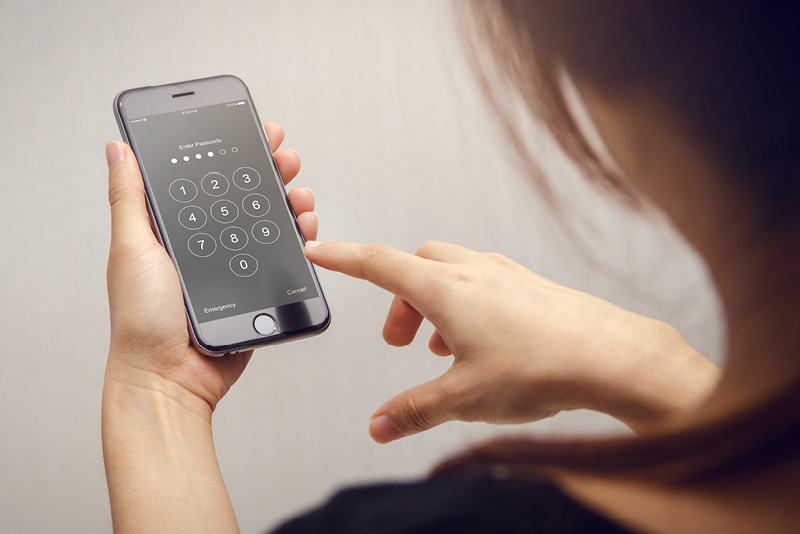
One of the most effective ways to boost your personal information security is to ensure your smartphone software is up to date. However, if your device is sluggish or not running at its best, it might be time to consider a repair or an upgrade.

SOS Phone Repairs are specialists in high-quality, cost-effective phone repairs, tablet repairs, and PC repairs, all backed with a six month warranty. Founded in 2015 in Coffs Harbour and now with over sixteen outlets located all over Australia, our primary driving factors remain the same: people and phones. 

If you are on the hunt for a quote, diagnostic, or even just some good old fashioned, friendly advice, please don’t hesitate to get in touch or give us a call today at SOS Phone Repairs. 



Hydrogel Screen Protector vs Tempered Glass

Can’t decide on whether to use a hydrogel screen protector or tempered glass? In order to safeguard your smartphone, it’s crucial to grasp how they differ

In the early days of the smartphone revolution, protecting yourself against the horror of a smashed screen meant investing in a clunky “life proof” case almost doubled the phone’s physical size. Although not exactly stylish or user friendly, the alternative was to face the very real prospect of forking out hundreds of dollars to fix a smashed screen. 

Thankfully, advancements in technology have come a long way in terms of not just making the devices themselves less fragile, but the accessories designed to protect smartphones have also improved. Now, smartphone users have multiple choices with methods to protect their phone screens, with two of the most popular being a hydrogel screen protector and a tempered glass screen protector – but what’s the difference?

Comparing A Hydrogel Screen Protector Against Tempered Glass

While both of these types of screen protectors are a pretty handy tool used to provide the maximum level of protection to the screen of your device, the materials that they are made from is where they differ. 

If you’re unfamiliar with the concept, tempered glass screen protectors are thick, cheap, clear, and offer a high level of protection from surface scratches. However, the level of protection and its overall performance does often depend on what type of glass the screen protector is made from, and consumers aren’t often able to tell the quality of them on face value. 

High quality glass screen protectors often use a material known as “gorilla glass”, which is harder than the metal used in keys, coins, and other household metal items. However, even the toughest quality glass screen protectors can still shatter into a thousand pieces once you drop it just the wrong way, or chip around the outside parameters. As it’s thicker, tempered glass can also negatively affect the touchability and responsiveness of your screen.

In comparison, a hydrogel screen protector is usually made from TPU or thermoplastic polyurethane, which is why these types of screen protectors appear to be so elastic and offer a clearer view than tempered glass. In a nutshell, users can expect automatic smudge-resistant technology while barely noticing the presence of a hydrogel screen protector at all. 

As smartphones continued to evolve, tempered glass was limited with how its production could adapt to the changing faces of iPhones and other products on the global marketplace. In comparison, the world’s key hydrogel screen protector producers were already quite literally ahead of the curve.

Unlike any other screen protector, their flexibility offers equal security to the curves of more modern smartphones as much as it does to the display of the phone. As a result, a hydrogel screen protector tends to have a longer lifespan when compared to traditional glass options, especially considering the fact that they are able to be produced in over three thousands different custom cuts to fit a wide range of smartphones, tablets and even smart watches. 

In addition, the TPU used in the production of a hydrogel screen protector also means that this material helps the screen protector to develop a new world form of aqua shield technology. They can readily dissolve any smudges, fingerprints, or minor scratches, and also helps reduce the signs of any major scratches. 

While a hydrogel screen protector is often the more expensive choice when compared to the tempered glass alternatives, the quality that goes into their production can ultimately make them a better investment for users with newer phones, and for people that don’t want to constantly have to replace their screen protector of choice.

Talk Technology With The Professionals 

SOS Phone Repairs are specialists in high-quality, cost-effective phone repairs, tablet repairs, and PC repairs, all backed with a six month warranty. Founded in 2015 in Coffs Harbour and now with over sixteen outlets located all over Australia, our primary driving factors remain the same: people and phones. 

Whether it’s to get a few more years out of your trusted iPhone, to fix one up to sell, or to repurpose an old one as a gift, repairing a smartphone might just be easier and cheaper than you think. However, if you’re in the market for a new smartphone, SOS Phone Repairs also stocks a wide variety of refurbished handsets at a fraction of the cost of a brand new one. 

While each has been carefully restored to perform at their best, all refurbished smartphones purchased through SOS also come with a twelve month warranty, and can be purchased at any of our sixteen store locations. In addition, each of our retail outlets is equipped with its own hydrogel screen protector machine, meaning we can help with adding an extra layer of protection that’s literally custom made just for you.  If you are on the hunt for a new screen protector, quote, diagnostic, or even just some good old fashioned, friendly advice, please don’t hesitate to get in touch or give us a call today at SOS Phone Repairs.
How to Speed up your life with the iOS Shortcuts App

As Apple’s latest offering, the Shortcuts app has been touted as a way to streamline and automate life – but what is it, and how does the app actually work?

Like it or not, our lives are inextricably linked to the smartphones that live in our pockets and how we choose to use them. Industry titans such as Apple know just how much consumers value the quality, performance, bells and whistles of their smartphones, and make conscious efforts to improve their functionality as a means to keep consumers hooked. 

If you’re on a mission to get more out of your day or to perhaps get back on top of that ever expanding to-do list, one of the lesser known ways to do so for Apple users includes making the most of the Shortcuts app. Whether you need help organising a project or simply need assistance with ‘getting in the zone’, understanding how the brand’s in house app works can turbocharge the way we use our iPhones on a day to day basis. 

Understanding How The Shortcuts App Works 

What if we told you that your humble iPhone had the power to automate your morning routine? From turning your smart home’s lights on, triggering your morning alarm and even playing your favourite podcast, the Shortcuts app can quite literally enable users to take ‘shortcuts’ in the real world. 

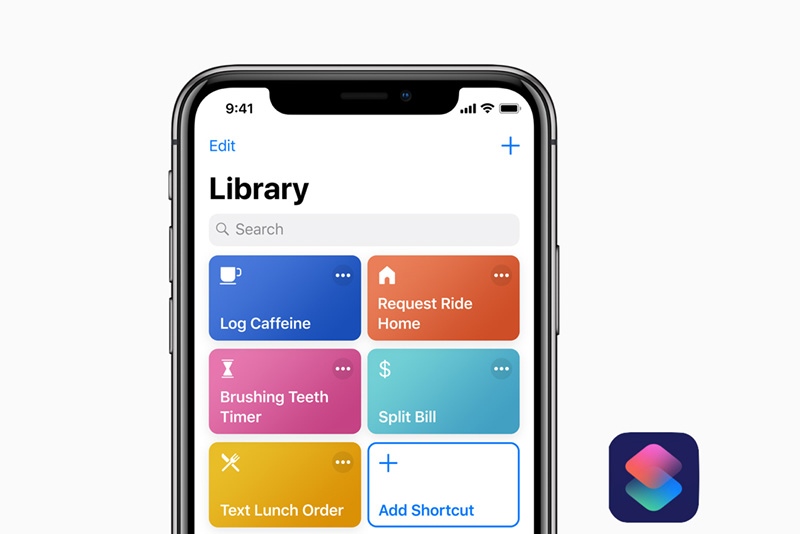
With the release of iOS 12 in late 2018, Apple updated its incredibly useful Workflows app and rebranded it under the name Shortcuts. In a nutshell, Shortcuts allows users to run detailed workflows, which help them accomplish complicated tasks in less time.

The simplest way to trigger a shortcut is to open Shortcuts on your device, before tapping a shortcut from the main screen. Alternatively, users can also ask Siri to run it for you by saying “Hey Siri” followed by the name of your desired shortcut. As long as you use the same Apple account on all your devices, users can sync the shortcuts across multiple devices, such as an iPhone, iPad, Mac or even an Apple Watch. 

Once you learn the basics, the Shortcuts app has the potential to open up a whole new world of possibilities when it comes to regular tasks that you might use your Apple device for. In fact, the Shortcuts app actually works in conjunction with over three hundred built in actions, and can be paired with a wide range of other apps such as Contacts, Calendar, Maps, Music, Photos, Safari, Health and even Camera. 

In addition, the Shortcuts app makes suggestions to you exactly when you need them. Siri is incredibly good at learning your routine, and often suggests easier ways to perform common tasks via the Lock Screen or in the Search function. To use a Siri Suggestion, just tap it on the Lock Screen. Alternatively, swipe left on your screen to show Search, then tap the Siri Suggestion. These are then added to the Shortcuts app on your behalf and saved for future use. 

For almost all iPhone users, apps are now integral in going about our day to day lives. From social media, internet banking, navigation and even finding love – if you can think of it, there’s usually an app for it. As such, it makes sense that there would also be an app designed to streamline this heavy usage, which is when getting to know the Shortcuts app can be a true gamechanger. 

Talk Technology With The Professionals 

SOS Phone Repairs are specialists in high-quality, cost-effective phone repairs, tablet repairs, and PC repairs, all backed with a six month warranty. Founded in 2015 in Coffs Harbour and now with over sixteen outlets located all over Australia, our primary driving factors remain the same: people and phones. 

Whether it’s to get a few more years out of your trusted iPhone, to fix one up to sell, or to repurpose an old one as a gift, repairing a smartphone might just be easier and cheaper than you think. However, if you’re in the market for a new smartphone, SOS Phone Repairs also stocks a wide variety of refurbished handsets at a fraction of the cost of a brand new one. While each has been carefully restored to perform at their best, all refurbished smartphones purchased through SOS also come with a twelve month warranty, and can be purchased at any of our sixteen store locations.  

If you are on the hunt for a quote, diagnostic, or even just some good old fashioned, friendly advice, please don’t hesitate to get in touch or give us a call today at SOS Phone Repairs. 

Learn How To Pay With Your Phone

In the era of Apple Pay and Samsung Pay, learning how to pay with your phone while you’re out can be a gamechanger when it comes to efficiency and convenience.  

For smartphone users, many of us are surprised to learn just how much we rely on apps. From social media, internet banking, navigation and even finding love – if you can think of it, there’s usually an app for it. While the perks of having a camera and a calculator in our pocket at all times are pretty swell, it’s the tiny details of smartphones that truly make them invaluable when it comes to improving the quality of our day to day lives. 

One of these smaller features that have been revolutionary is the addition of inbuilt payment systems in certain models of smart phones. For shopping online and in person, learning how to pay with your phone also eliminates the need to carry credit or debit cards around with you on a day to day basis. While not available on all smart phone models, tech giants have rolled out payment systems like Apple Pay and Samsung Pay to their range of devices as a means to boost their appeal – but how do they work, and how can users set this function up?

How To Set Up A Mobile Payment System On Your Phone

Gone are the days of needing to stash your phone and your wallet in your back pocket or bag, as there’s now a convenient alternative to carrying credit cards and cash – mobile payment solutions. For smartphone users who own devices that have this function, they offer a mobile “wallet” as a means to pay for online transactions or use a built-in chip in your phone to make purchases in a store or retail outlet. 

Industry titans such as Apple and Samsung know just how much consumers value the quality, performance, bells and whistles of their smartphones, and in turn have invested heavily into them. Each has a separate form of mobile payment, aptly dubbed Apple Pay and Samsung Pay. 

Although their initial setup is as simple as adding a credit or debit card to your app store identification, new users can get a bit flustered with using this payment system in person. To learn how to pay with your phone, we’ll happily give you a crash course based on which type of device you own. 

To pay with your iPhone and use Apple Pay in store via an EFTPOS machine, simply follow the below instructions. 

  1. To use your default payment card:
    1. If your iPhone has Face ID, double-click the side button. Authenticate with Face ID or enter your passcode.
    2. If your iPhone has Touch ID, rest your finger on the Touch ID sensor.
  2. To use a different card, tap your default card to see your other cards. Tap a new card and authenticate.
  3. Hold the top of your iPhone near the contactless reader or EFTPOS machine until you see Done and a tick on the display.

To pay with your Galaxy and use Samsung Pay in store via an EFTPOS machine, simply follow the below instructions. 

  1. When you’re ready to pay, open the Samsung Pay app on your phone.
  2. Tap the Pay tab, and select your preferred card. Tap Pay again, and then choose your desired security option, such as entering your PIN or fingerprints.
  3. Enter the required security information or simply place your finger on your phone’s fingerprint scanner.
  4. Next, hold the back of the phone up to the contactless reader and perform your desired actions to complete your purchase.

Users are also able to use Samsung Pay via the Favourite Cards feature if already set up, and follow steps three and four outlined above. 

Although we live in an increasingly digital age, technology has also brought with it an extra set of distractions on top of whatever happens to pop up during our day to day lives. If you’re looking for advice on how to pay with your phone or are stuck on how to set it up, then it’s always worth speaking to the professionals. 

Talk Technology With The Professionals

SOS Phone Repairs are specialists in high-quality, cost-effective phone repairs, tablet repairs, and PC repairs, all backed with a six month warranty. Founded in 2015 in Coffs Harbour and now with over sixteen outlets located all over Australia, our primary driving factors remain the same: people and phones. 

Whether it’s to get a few more years out of your trusted iPhone, to fix one up to sell, or to repurpose an old one as a gift, repairing a smartphone might just be easier and cheaper than you think. However, if you’re in the market for a new smartphone, SOS Phone Repairs also stocks a wide variety of refurbished handsets at a fraction of the cost of a brand new one. While each has been carefully restored to perform at their best, all refurbished smartphones purchased through SOS also come with a twelve month warranty, and can be purchased at any of our sixteen store locations.  

If you are on the hunt for a quote, diagnostic, or even just some good old fashioned, friendly advice, please don’t hesitate to get in touch or give us a call today at SOS Phone Repairs. 
 

Making The Most Of Your iPhone 13

Are you the proud owner of the new iPhone 13, but aren’t quite sure how all the bells and whistles work? Some insider knowledge, tips and tricks might help. 

For the uninitiated, the iPhone is a line of smartphones designed and marketed by  Apple Inc, that use Apple’s iOS mobile operating system.  As of November 1 2018, more than 2.2 billion iPhones had been sold worldwide, and is regarded as the original smart phone and arguably the globe’s most celebrated.

The humble iPhone has a user interface built around a multi-touch screen. They connect to both cellular networks and Wi-Fi, and can make calls, browse the internet, take pictures and videos, play music, and send and receive text messages and emails. Since it’s initial release in 2007, the iPhone’s features have certainly come a long way. Improvements have been made to keep up with consumer demand, such as larger screen sizes, waterproofing, the ability to install third party apps, and many more accessibility features. 

Each September, consumers have come to expect and look forward to the annual iPhone release event orchestrated by Apple, the latest of which being the iPhone 13. However, every model of iPhone is always slightly different, so what are some tips and tricks to help users make the most of the newest release?

Seven Insider Tips On Using The iPhone 13

Whether you’re eager to start connecting to 5G or capture footage with the most up-to-date Apple camera technology, then the iPhone 13 is definitely worth the purchase price. Even if you’re not the type to jump at the annual models released by the tech giant, the latest updates have wowed both new converts and seasoned professionals when it comes to making the most of the smartphone. 

Focus Modes – Remember when our only options were Do Not Disturb or normal phone function? The iPhone 13 seems all too aware of the distractions that smartphones can herald, and has introduced Focus Mode. Users can select the apps or the contacts which can send you notifications, and you can also create dedicated focus profiles like “work” or “sleep”. 

Schedule Notifications – Particularly in the era of working from home, many of us have grappled with disturbed sleep from emails or notifications from apps. Now, users can add a specific window of time that each app sends these notifications. To enable it, head over to Settings > Notifications > Scheduled Notifications and toggle the switch, and pick your app. 

Screenshots Made Easy – How many times have you accidentally locked your phone by trying to press the buttons required for a screenshot? Now, iPhone 13 users have the option to customise the actions required, and can now simply double-tap or triple-tap to take a screenshot. Turn this feature on via the Accessibility settings. 

Scan Text To Your Phone – One of the neater tricks of the iPhone 13 is its ability to scan text directly from the camera and paste it into a document, allowing users to skip the process of typing the addresses and other texts manually. All you need to do is point your camera at a snippet of text, and tap the icon that appears in the bottom right corner of the camera. 

Improved FaceTime – The iPhone 13 has a feature dubbed Eye Contact, which improves your experience with FaceTime video calls. Essentially, the Eye Contact feature augments the FaceTime call to make it look like you are looking at the person, rather than at the screen. Enable this feature by going to Settings > FaceTime and enable the toggle next to Eye Contact.

Drag And Drop Photos – Exchanging information in the digital age can be a challenge, but now iPhone 13 users can drag and drop content between apps. To move text or images between apps, simply long press on the subject until it becomes translucent. When holding the selected objects, swipe on the tray below to go to the app of your choice and “drop” the images.

Built In Authenticator – Forget about relying on third-party apps like Google Authenticator for digital security, as the iPhone 13 now features a built-in version that gives the ability to quickly generate verification codes and enter them into your online accounts. You can set up an authentication code generator on your device by going to Settings > Passwords.

Although we live in an increasingly digital age, technology has also brought with it an extra set of distractions on top of whatever happens to pop up during our day to day lives. If you’re looking for advice on how to make the most of your iPhone 13 or any of the other models, then it’s always worth speaking to the experts. 

Talk Technology With The Professionals

SOS Phone Repairs are specialists in high-quality, cost-effective phone repairs, tablet repairs, and PC repairs, all backed with a six month warranty. Founded in 2015 in Coffs Harbour and now with over sixteen outlets located all over Australia, our primary driving factors remain the same: people and phones. 

Whether it’s to get a few more years out of your trusted iPhone, to fix one up to sell, or to repurpose an old one as a gift, repairing a smartphone might just be easier and cheaper than you think. However, if you’re in the market for a new smartphone, SOS Phone Repairs also stocks a wide variety of refurbished handsets at a fraction of the cost of a brand new one. While each has been carefully restored to perform at their best, all refurbished smartphones purchased through SOS also come with a twelve month warranty, and can be purchased at any of our sixteen store locations.  

If you are on the hunt for a quote, diagnostic, or even just some good old fashioned, friendly advice, please don’t hesitate to get in touch or give us a call today at SOS Phone Repairs. 


A Guide To The Latest March Tech News

Whether it’s the software rollouts, games or gadget drops, here’s your SOS Phone Repairs monthly update on what’s happening with the latest March tech news. 

While technology sure is a wonderful thing, the dark side to these advancements mean regular updates, new device releases, and a wide range of other obligations that the average consumer often unwittingly signs up for. On the other hand, developments in technology can also provide a boost to productivity, efficiency and are often convenient ways to streamline our day to day lives. 

As such, it’s almost inevitable that there always seems to be an onslaught of new product drops, software updates and even fresh games to hit the market that are regularly released so that we can make the most of this digital world – so what’s on offer this month when it comes to the latest March tech news and updates?

The Lowdown On March Tech News 

Even despite what’s going on in the wide world, for the global tech giants, the show must go on. With the release of new games, software and devices still happening left, right and centre, the latest updates are always worth paying attention to. For the savvy digital consumer who traditionally follows these types of updates, we’ve deemed the below to be the most noteworthy in regards to March tech news.

Foldable MacBook Rumours – With Apple’s annual September product drop rapidly approaching, whispers on a blend between a MacBook and an iPhone boasting an impressive 20-inch screen continue to circulate. When folded, the device would feature a touchscreen keyboard, and when laid flat it would become a full screen monitor that could have an external keyboard attached to it as well. 

Samsung Galaxy S22 Drops – As the latest Samsung Galaxy S22, S22 Plus and S22 Ultra are now available in Australia, Samsung fans have wasted no time in getting their hands on the latest models. While the basic look of the Galaxy S22 and S22 Plus is very similar to last year’s Galaxy S21, the S22 Ultra has received a few pretty significant upgrades to the tech when compared to previous models. 

Off Road Apple Watch – With the Series 3 Apple Watch set for retirement, the next product drop is set to feature an Apple Watch like nothing we’ve ever seen before. September is set to welcome three different versions of the new Series 8 Apple Watch, with one particular model rumoured to be an “extreme sports version” slightly less delicate than previous market offerings, and designed to handle more challenging conditions. 

Fresh Game Releases – While January and February releases weren’t exactly gamechangers, March has a few more exciting offerings for fans to pay attention to. It’s a big month for Square Enix and JPRG fans, as original tactics gameTriangle Strategy from Team Asano and Stranger of Paradise: Final Fantasy Origin (a retelling of FF1) are set to hit Australian shores, along with the Final Fantasy-inspired kart racing game Chocobo GP. 

Although we live in an increasingly digital age, technology has also brought with it an extra set of distractions on top of whatever happens to pop up during our day to day lives. If you’re looking to improve your selfie game, want to learn more about your smart phone’s camera, or even need some help in choosing the right type of device based on your needs, it’s always worth speaking to the professionals. 

Talk March Tech News With The Professionals

SOS Phone Repairs are specialists in high-quality, cost-effective phone repairs, tablet repairs, and PC repairs, all backed with a six month warranty. Founded in 2015 in Coffs Harbour and now with over sixteen outlets located all over Australia, our primary driving factors remain the same: people and phones. 

Whether it’s to get a few more years out of your trusted iPhone, to fix one up to sell, or to repurpose an old one as a gift, repairing a smartphone might just be easier and cheaper than you think. However, if you’re in the market for a new smartphone, SOS Phone Repairs also stocks a wide variety of refurbished handsets at a fraction of the cost of a brand new one. While each has been carefully restored to perform at their best, all refurbished smartphones purchased through SOS also come with a twelve month warranty, and can be purchased at any of our sixteen store locations.  

If you are on the hunt for a quote, diagnostic, or even just some good old fashioned, friendly advice, please don’t hesitate to get in touch or give us a call today at SOS Phone Repairs.